



Yes. A well-designed IPS display can be excellent for gaming. Modern IPS panels combine stable color, wide viewing angles and high-refresh operation, making them a strong choice for competitive games, visually rich single-player titles and mixed gaming-and-work setups.
The panel label alone does not guarantee good gaming performance, though. An IPS monitor can still have slow pixel transitions, excessive overdrive, weak contrast or high input lag. Refresh rate, measured response behavior, variable refresh rate support, backlight design and interface bandwidth all matter as much as the liquid crystal mode.
| Gaming use | IPS suitability | Main requirement |
|---|---|---|
| Competitive FPS and racing games | Very good on a fast model | High refresh rate, low overshoot and consistent response times |
| RPG, strategy and open-world games | Excellent overall balance | Strong color performance and suitable contrast |
| Dark-room horror and cinematic games | Good, with limitations | Low IPS glow or effective local dimming |
| Console gaming | Very good | 120 Hz support, VRR and sufficient HDMI bandwidth |
| Gaming plus design or content creation | One of the strongest LCD choices | Wide gamut, calibration and high refresh rate |
| Portable or embedded gaming hardware | Depends on the complete system | Panel timing, controller, interface and power design |
What Does IPS Mean in a Gaming Display?
IPS stands for In-Plane Switching. It is an operating mode used in TFT-LCD panels. In an IPS cell, the liquid crystal molecules rotate mainly parallel to the glass substrates under an electric field generated across the plane of the panel.
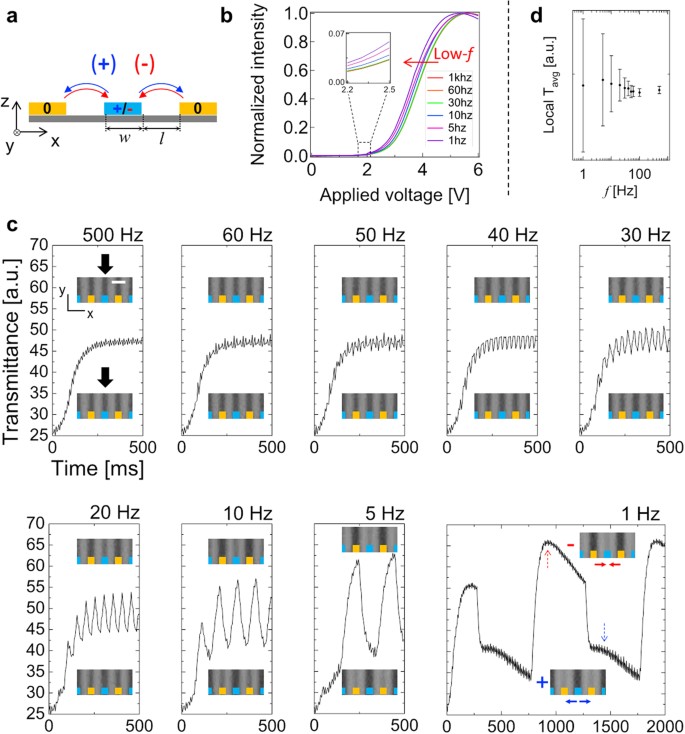
Schematic Diagram of an IPS LCD Panel
The electro-optical behavior of this structure was documented in the original 1995 IPS research by Masahito Oh-e and Katsumi Kondo. Its most visible advantage is more stable image behavior when the display is viewed away from the center. LG Display’s explanation of IPS technology similarly associates the horizontal liquid crystal arrangement with wide viewing angles and consistent image quality.
IPS describes the liquid crystal arrangement. It does not define:
-
Refresh rate
-
Pixel response time
-
Input lag
-
Color gamut
-
Factory calibration
-
Contrast ratio
-
HDR performance
-
Adaptive Sync support
This distinction matters because two IPS gaming displays can behave very differently despite sharing the same panel category.
Why IPS Works Well for Gaming
Stable Color and Image Quality
IPS panels usually preserve color and luminance more consistently when viewed from an angle. This is useful on large monitors, multi-monitor systems, portable gaming displays and setups where the screen is not always viewed from a perfectly centered position.
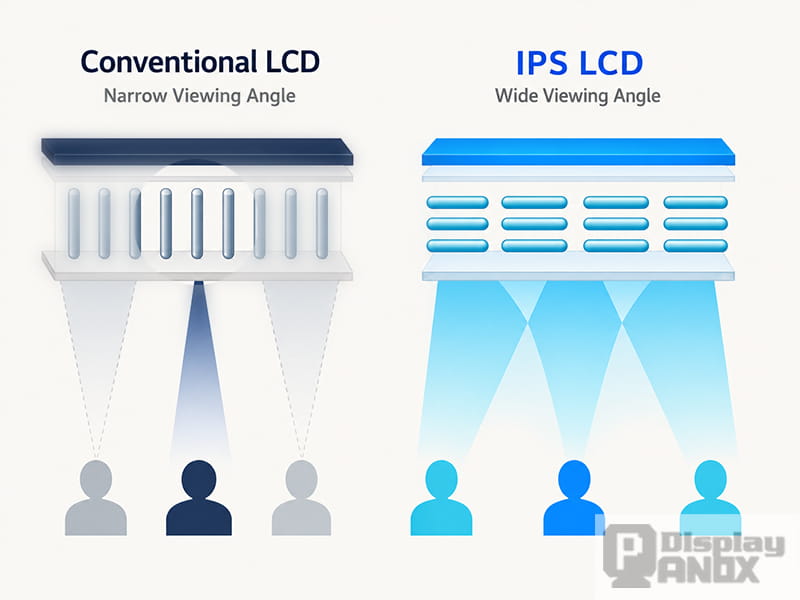
IPS Wide Viewing Angle Comparison Chart
IPS is often described as inherently color accurate, but that claim needs qualification. The IPS structure helps maintain color consistency across viewing angles. Actual color accuracy still depends on the backlight spectrum, color filters, panel electronics and calibration. An IPS label by itself does not guarantee full sRGB or DCI-P3 coverage.
A Strong Balance Between Speed and Visual Quality
Early IPS panels were slower than performance-oriented TN displays. That historical limitation no longer describes the entire category. Changes to liquid crystal materials, electrode geometry, cell gap and driving methods have significantly improved switching behavior.
Research also shows why different IPS designs cannot be treated as one speed class. A published fast-response IPS-LCD study demonstrated that changes to the panel structure could reduce gray-to-gray response time by 20% to 30%. Commercial “Fast IPS,” “Rapid IPS” and similar names refer broadly to speed-focused implementations, but they are not universal performance standards.
A good modern IPS gaming display can therefore provide fast motion without giving up the viewing-angle stability associated with IPS. Poorly tuned models can still show blur or inverse ghosting, so the finished display remains more important than the marketing name.
Mature High-Refresh Options
IPS gaming displays are widely available across mainstream high-refresh tiers. A higher refresh rate shortens the interval between frames, improving motion continuity and allowing new visual information to appear more frequently.
The actual benefit depends on three conditions:
-
The gaming system must generate a sufficiently high frame rate.
-
Pixel transitions must keep pace with the refresh interval.
-
The display connection must support the intended resolution and refresh rate.
A 240 Hz label provides little value if the game runs at 55 FPS, the panel transitions are too slow, or the input is limited to a lower refresh rate at the native resolution.
Refresh Rate and Frame Time
Refresh rate measures how often the display can update each second. Frame time shows the time available for each refresh.
| Refresh rate | Time per refresh |
|---|---|
| 60 Hz | 16.67 ms |
| 120 Hz | 8.33 ms |
| 144 Hz | 6.94 ms |
| 165 Hz | 6.06 ms |
| 240 Hz | 4.17 ms |
| 360 Hz | 2.78 ms |
At 240 Hz, a new refresh begins roughly every 4.17 milliseconds. If a large number of pixel transitions take longer than that, the previous image state can remain visible while the next frame is already being drawn. The result may appear as trailing, blur or poorly defined moving objects.
Refresh rate and response time are connected, but they are not interchangeable. A high-refresh panel needs sufficiently fast and controlled pixel transitions to make full use of its frame rate.
Why a “1ms” Response Time Does Not Tell the Whole Story
Gray-to-gray response time measures how quickly a pixel changes between selected gray levels. A monitor contains many possible transitions, and each transition can have a different speed. A single advertised number may represent the fastest transition, an average under a specific test method or a result obtained with the most aggressive overdrive setting.
Overdrive applies additional voltage to accelerate liquid crystal movement. Too little overdrive leaves visible trailing. Too much can push the pixel past its target level, producing bright or dark halos known as overshoot or inverse ghosting.
This is why a display advertised as 1ms can look worse in motion than a model with a less dramatic specification. The number says nothing about transition consistency, overshoot or performance at lower refresh rates.
VESA’s Adaptive-Sync Display specification addresses this problem by testing a larger gray-to-gray transition matrix and applying perceptual limits to overshoot and undershoot. VESA also introduced ClearMR, which grades motion clarity using the ratio of clear pixels to blurred pixels rather than relying on one response-time claim.
A credible gaming display evaluation should therefore consider:
-
Multiple gray-to-gray transitions
-
Average and slowest transition times
-
Overshoot and undershoot
-
Performance at several refresh rates
-
The effect of each overdrive setting
-
Motion clarity with and without backlight strobing
Response Time Is Not Input Lag
Pixel response time describes how quickly a pixel changes state. Input lag describes the delay between receiving a signal and showing the resulting image.
Signal processing, scaling, frame buffering, scanout timing, the controller board and the panel can all contribute to latency. IPS technology does not automatically create low or high input lag.
A fast IPS panel connected to a slow controller can still feel unresponsive. A well-designed monitor can combine IPS with low-latency processing. Finished-product latency must be measured as a system characteristic rather than inferred from the panel type.
Variable Refresh Rate Matters

Screen Tearing When Frame Output Is Out of Sync with the Display Refresh Rate
Games rarely maintain a perfectly fixed frame rate. When the GPU frame rate and display refresh rate fall out of step, the result can be screen tearing or uneven frame delivery.
Variable refresh rate, or VRR, allows the display to adjust its refresh timing to match the source. DisplayPort Adaptive-Sync was designed to match display updates to the GPU’s rendering rate on a frame-by-frame basis. AMD states that FreeSync synchronizes display refresh rate with the graphics frame rate, while NVIDIA G-SYNC follows the same general objective for compatible systems.
VRR does not make slow pixels faster. It reduces tearing and stutter caused by timing mismatches. A suitable IPS gaming display should combine VRR with responsive pixel behavior across the full operating range.
The following details matter more than a generic “Adaptive Sync” logo:
-
Minimum and maximum VRR range
-
Low framerate compensation
-
Compatibility with the intended GPU or console
-
Flicker behavior at changing frame rates
-
Overdrive performance across the VRR range
An overdrive mode tuned for 240 Hz may create excessive overshoot at 60 Hz. Variable overdrive can compensate for this behavior, but AMD notes that it remains an optional implementation feature rather than a requirement on every FreeSync display.
IPS Contrast, Black Levels and HDR Gaming
IPS LCDs use a backlight. Dark pixels reduce transmitted light but cannot switch off the light source at each pixel in the way an OLED display can. Standard IPS panels therefore tend to produce lighter blacks than VA and OLED displays, especially in a dark room.
This does not make IPS unsuitable for HDR, but it makes the backlight system critical. An IPS panel with effective full-array or mini-LED local dimming can produce much stronger HDR contrast than a basic globally lit IPS monitor.
An “HDR compatible” label only confirms that a display can accept an HDR signal. Convincing HDR also requires suitable peak brightness, low black levels, color volume, bit depth, tone mapping and local dimming performance. The current VESA DisplayHDR specification includes tests for luminance, gamut, bit depth, color accuracy, contrast and black-level behavior.
For dark cinematic games, backlight quality can matter more than the IPS label itself.
IPS Glow and Backlight Bleed
IPS glow appears as a pale or silvery haze in dark areas, usually near the corners when the screen is viewed in a dim room. Its visibility changes with viewing angle, distance and panel brightness. BenQ describes IPS glow as a technology-related IPS characteristic that cannot be eliminated completely.
Backlight bleed is different. It appears as localized light leakage, often along the edges, and is associated more closely with the backlight assembly and manufacturing tolerances. It can occur on different types of LCD panels, as explained in BenQ’s backlight leakage guidance.
Lower brightness, moderate ambient lighting and a slightly greater viewing distance can reduce the visibility of IPS glow. Severe, uneven leakage remains a product-quality issue rather than an unavoidable benefit or drawback of gaming performance.
IPS vs VA vs TN vs OLED for Gaming
No panel type wins every category. The strongest option depends on the game genre, room lighting and required balance between motion, contrast and long-term use.
| Panel type | Main strength | Main limitation | Typical gaming fit |
|---|---|---|---|
| IPS | Stable color, wide viewing angles and balanced motion performance | Lower native black level and possible IPS glow | Mixed gaming, competitive play, bright rooms and gaming plus creative work |
| TN | Very fast LCD implementations and extreme refresh-rate options | Weaker viewing angles and color consistency | Esports systems focused primarily on speed |
| VA | Strong native contrast and deeper LCD blacks | Some panels have slow dark transitions or black smearing | Dark-room gaming, cinematic titles and curved ultrawide monitors |
| OLED | Pixel-level black control and extremely fast transitions | Image-retention precautions, pricing and model-specific brightness behavior | Premium HDR, fast motion and dark-room gaming |
OLED delivers the strongest black level and pixel response, but persistent static HUD elements remain a consideration. OLED monitor manufacturers include pixel refresh, screen optimization and related protection features because prolonged static content can contribute to image retention; Samsung’s OLED monitor guidance provides one example.
IPS avoids OLED-style pixel wear management and remains a practical choice for long mixed-use sessions involving games, documents, design software and static desktop elements.
Is IPS Good for Competitive Gaming?
IPS is suitable for competitive gaming when the specific display provides:
-
A refresh rate aligned with the achievable game frame rate
-
Fast transitions across many gray levels
-
Low overshoot at the intended refresh rate
-
Low display processing latency
-
Stable VRR behavior
-
Sufficient interface bandwidth at native resolution
The most aggressive esports environments may still favor an exceptionally fast TN or OLED display. For a broader mix of competitive play, daily work and high-quality visuals, a well-tuned high-refresh IPS display is often the more balanced choice.
What Should a Good IPS Gaming Display Include?
| Specification | Strong sign | Warning sign |
|---|---|---|
| Refresh rate | Maximum rate supported at native resolution | High rate available only at reduced resolution |
| Response time | Results covering many transitions and refresh rates | One isolated “1ms” claim |
| Overdrive | Clean motion with limited overshoot | Fastest mode creates bright inverse trails |
| VRR | Validated range covering expected game frame rates | Compatibility claimed without a stated range |
| Input lag | Low-latency or bypass processing mode | Heavy image processing cannot be disabled |
| HDR | Local dimming and meaningful performance certification | “HDR ready” with no contrast information |
| Color | Stated gamut coverage and calibration data | “Vivid color” without measurable specifications |
| Connectivity | Full resolution, refresh rate and bit depth over the intended input | Connector version listed without supported timing details |
“Fast IPS” can be useful as an initial product filter, but it should not replace measured response data. It is a marketing category, not a guarantee that every transition completes in one millisecond.
IPS Gaming Displays From a System Perspective
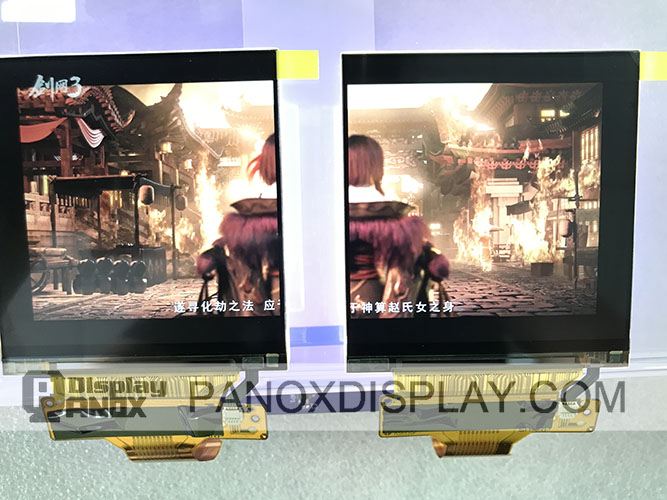
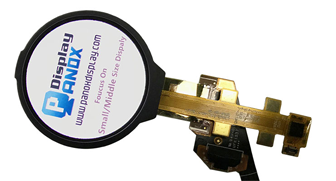
2.9 inch TFT-LCD 120 Hz For VR
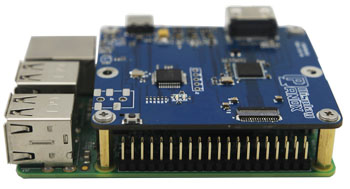
In a finished monitor, portable console, simulator or VR device, the panel is only one part of the display chain. Target resolution and refresh rate must align with interface bandwidth, timing control, driver or controller board, source configuration, backlight power and thermal design.
Panox Display evaluates display selection at this system level. The Panox Display TFT-LCD range includes modules across different sizes, resolutions and interfaces for handheld products, VR equipment, portable displays and other interactive hardware. Panel timing and the selected interface should be confirmed early, particularly when a project requires high refresh rates or a custom controller board.
Final Verdict: Is IPS Good for Gaming?
IPS is good for gaming and is often the strongest all-round LCD option. It combines wide viewing angles, stable color and access to fast, high-refresh implementations without the pixel-wear considerations associated with OLED.
The best IPS gaming display is not defined by the letters “IPS” or a single “1ms” claim. Consistent pixel transitions, controlled overdrive, low input lag, useful VRR range, suitable contrast and sufficient interface bandwidth determine the real result.
For mixed gaming, work and content creation, IPS remains an easy recommendation. For dark-room contrast, VA or OLED may be stronger. For highly specialized esports systems, a top-tier TN, OLED or exceptionally fast IPS model may be more appropriate. The correct choice begins with the complete performance data, not the panel name.
Frequently Asked Questions
Does IPS Have Ghosting?
IPS panels can show ghosting when pixel transitions are too slow for the refresh interval. Excessive overdrive can also create inverse ghosting. The amount depends on the individual panel and its tuning rather than IPS technology alone.
Is a 1ms IPS Monitor Really 1ms?
It may reach 1ms in a selected transition or operating mode. That figure does not guarantee 1ms performance across every color transition, refresh rate or overdrive setting.
Is IPS Better Than VA for Gaming?
IPS generally offers wider viewing angles and more consistent motion performance across many models. VA usually provides stronger native contrast and deeper blacks. Fast games often favor IPS, while dark cinematic games can benefit from VA.
Is IPS Better Than OLED for Gaming?
OLED provides faster pixel transitions and much deeper blacks. IPS avoids OLED-style image-retention precautions and can be more suitable for long mixed-use sessions with static content. Price, brightness, HDR performance and usage pattern determine the better option.
Is Fast IPS Worth It?
Fast IPS can be worthwhile when its measured response times, overshoot and refresh-rate behavior are genuinely better than those of a standard IPS panel. The name alone is insufficient evidence.
Is IPS the Same as LED?
No. IPS describes the liquid crystal arrangement inside an LCD panel. LED normally describes the backlight. Most modern IPS monitors are LED-backlit IPS LCDs.