



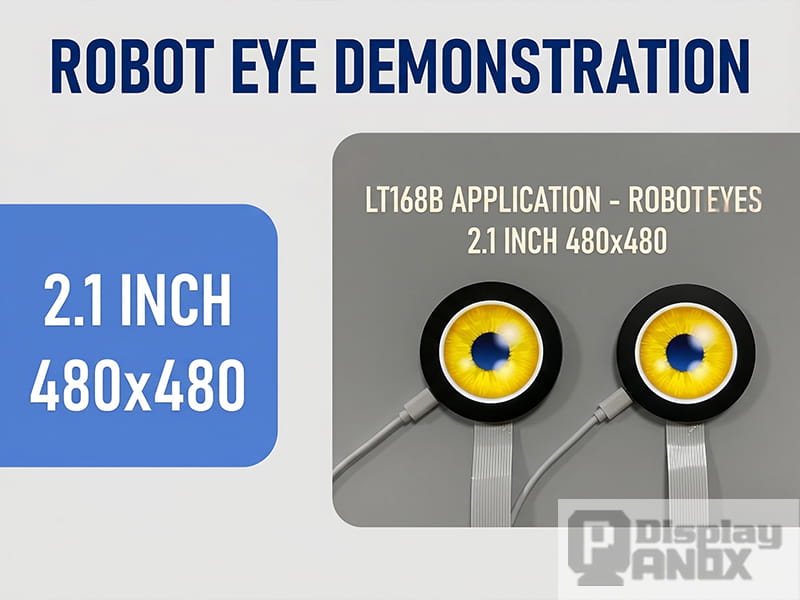
If you've scrolled through any maker community on Reddit, Hackaday, or YouTube lately, you've probably noticed the same thing happening over and over: tiny desktop robots, AI-powered plush companions, and ESP32-based pet bots are everywhere. And almost all of them have one thing in common — a pair of round screens staring back at you, blinking, squinting, rolling their digital eyes when you ask a dumb question.
That's not a coincidence. It's the cheapest and fastest way to give a robot personality, and it's pulling in hobbyists, indie hardware startups, and even a handful of mid-sized toy brands trying to ride the wave that companies like Looi, Mirokai, and the open-source Tars-AI project kicked off.
So let's talk about the hardware actually doing the work — and why a round TFT-LCD has, almost by accident, become the part everyone reaches for first.
The Eye Is Where the Personality Lives
Anyone who's tried to build a friendly-looking robot has run into the same wall. You can spend weeks tuning servo motors, fine-tuning voice models, training a wake word — and if the eyes look dead, the whole thing reads as creepy. Pixar figured this out thirty years ago. Toy designers know it too.
A square screen behind a round bezel works, sort of, but it always looks like a hack. Light bleeds. The corners glow. Animations get cut off. A genuinely round panel solves all of that in one shot, and it's the reason most of the popular DIY robot eye projects floating around GitHub right now specifically call for circular displays driven over SPI.
Two sizes have ended up doing most of the heavy lifting: 1.28 inch for small desktop bots and plush toys, and somewhere around 2.1 inch for larger characters where you actually want the eyes to be readable from across a room.
The 1.28" Round LCD — The One Everyone Starts With

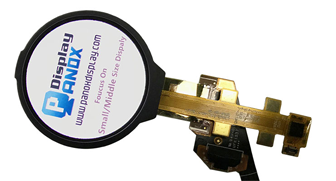
The 1.28 inch 240×240 round TFT-LCD is, frankly, the screen that's powering most of the cute-robot YouTube videos you've been watching. There's a reason for that.
It runs over plain SPI. The driver IC is the GC9A01, which has been supported by the Adafruit GFX library, LVGL, TFT_eSPI, and pretty much every other graphics library you'd touch on an ESP32 or RP2040 for years now. That means you can plug it in, flash an example sketch, and have a blinking eye on screen in under twenty minutes. No MIPI bring-up, no parallel RGB timing puzzles, no obscure framebuffer driver to write.
A few specs that matter for a robot build:
- 240×240 resolution at 32.4×32.4 mm active area — sharp enough that pixels disappear at normal viewing distance
- 1100:1 contrast ratio, which keeps blacks looking black instead of grey, so the iris and pupil pop
- 55 Hz refresh, more than enough for smooth blink and saccade animations
- Full IPS viewing angles, so the eye doesn't wash out when someone tilts the robot
- 8.8 grams with the optional capacitive touch panel — light enough to mount on a small servo for actuated eye movement
The real selling point is what it pairs with. An ESP32-S3 with PSRAM has more than enough horsepower to drive two of these in parallel at a smooth frame rate while also handling Wi-Fi, microphone input, and a small LLM-powered chatbot pipeline over MQTT. That's the exact stack the open-source community has converged on for the current generation of AI desktop pets.
The 2.1" Round LCD — When You Want Bigger, Bolder Eyes
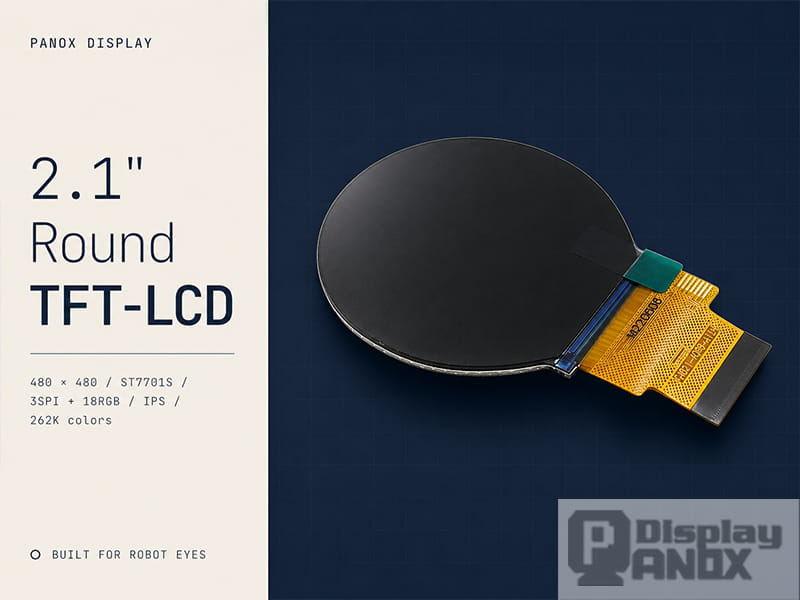
For bigger toy robots, animatronic figures, or anything where the eye needs to be visible from a few feet away, the 2.1 inch 480×480 round TFT-LCD is the natural step up.
This one is a different beast. It runs the ST7701S driver IC and uses a 3-wire SPI for command initialization plus 18-bit RGB parallel for video data. That sounds intimidating if you've only ever used SPI displays, but it's actually a standard configuration on ESP32-P4, ESP32-S3 with the LCD peripheral, and STM32 H7-class chips. Once it's initialized, you just push pixels into a framebuffer.
What you get for that extra wiring effort:
- 480×480 resolution — over 4× the pixel count of the 1.28", which means you can render proper anti-aliased iris textures, reflections, and detailed pupil dilation
- 53.28×53.28 mm active area, big enough to be the dominant feature on a robot's face
- 262K colors, IPS panel, 900:1 contrast ratio
- Optional integrated PCAP touch — useful if you want the user to be able to poke the robot's eye to wake it up or trigger an interaction
- Operating range of -20 to 70°C, which matters if your toy ever ships somewhere hot or cold
For larger projects this is where the screen earns its keep. A toy robot with two 2.1" round displays mounted in a 3D-printed face has presence. People notice it. They want to talk to it.
Why ESP32 Keeps Showing Up in This Conversation
The reason every tutorial keeps mentioning ESP32 is simple economics. A full ESP32-S3 module with PSRAM costs less than a cup of coffee, has built-in Wi-Fi and Bluetooth, runs Arduino code or ESP-IDF or MicroPython, and has enough GPIO and DMA capability to drive an SPI display without breaking a sweat.
For the 1.28" eyes, you can run two displays from a single ESP32 by sharing the SPI bus and toggling chip selects. Memory usage for a double-buffered 240×240 RGB565 framebuffer is around 115 KB per eye — comfortable on an S3 with PSRAM.
For the 2.1" 480×480 displays, you're better off with an ESP32-P4 or stepping up to an STM32H7 / RP2350 board, simply because the pixel bandwidth is higher. The Panox Display product pages list compatibility with STM32, Raspberry Pi, and Arduino boards — and in practice that covers about 95% of the controller stacks the maker community actually uses.
A Few Practical Things Worth Knowing Before You Order
A couple of points that don't usually make it into product datasheets but matter when you're actually building:
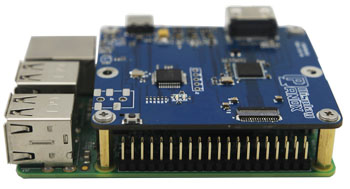
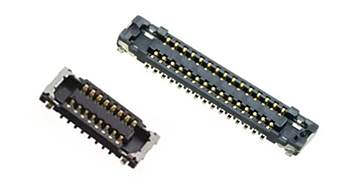
FPC handling. Both panels use flex cables for connection. They're not delicate exactly, but they don't appreciate being bent backwards repeatedly. If you're prototyping, get an adapter board so you're not flexing the FPC every time you tweak the wiring.
Backlight current. A 2.1" panel pulls noticeably more backlight current than a 1.28". If you're running on battery, plan for that — and consider PWM dimming on the backlight pin so the eyes can "go to sleep" without fully powering down.
Cover glass and customization. If you want a non-standard shape, tinted glass, or AR coating to kill reflections in a brightly lit toy environment, that's something Panox Display can quote as a customization. The standard tooling charge is reportedly low compared to the Western competitors quoting on similar work.
Sample versus bulk. If you just need one or two for a prototype, the AliExpress store is the easiest path. Once you're past the prototype stage and looking at orders of a few hundred or more, going direct gets you better pricing and proper datasheets, schematics, and initial code — which you'll want for reliable mass production anyway.
Where This Is Heading
The desktop robot category has been quietly rebuilding itself this past year. With LLMs cheap enough to run as a backend service, on-device speech recognition that actually works, and microcontrollers that can drive real animated UIs, the bottleneck is no longer the brain — it's the face. And the face is, almost always, a round screen.
If you're building something in this space — whether it's a Kickstarter toy, a research demo, a smart pet for elderly companionship, or just a weekend hack you want to show off — the two displays linked above are a sensible starting point. The 1.28" gets you up and running fast on an ESP32 for the price of a pizza. The 2.1" gives you the visual presence to compete with commercial products.
If you want to talk through which one fits your project, request datasheets, get a quote on customized cover glass, or just ask whether a specific MCU will work — the team at panoxdisplay.com is responsive on email and WhatsApp, and they ship samples to most countries within a week. Tell them what you're building and they'll tell you what's actually going to work.
And if neither size feels quite right for your build, it's worth browsing the full lineup of round display panels Panox Display has in stock — there are smaller 1.2" OLEDs, larger 2.47" MIPI versions, and a few flexible options that don't fit the typical "robot eye" mould but might be exactly what your project needs.