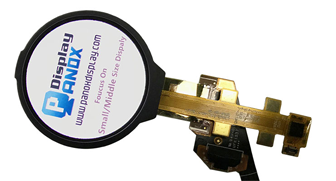







2.6 inch OLED RGB MCU Interface For Handheld
A handheld display panel is a compact screen module designed for portable electronic products that are carried, held, or operated close to the user. It may be integrated into a small control terminal, a portable instrument, a navigation device, a smart controller, a consumer electronic product, or a high-resolution interactive device. In a handheld product, the display affects much more than the visual layout. It influences power consumption, enclosure thickness, PCB planning, touch experience, outdoor readability, and long-term product reliability.
For a For Handheld display panel project, the selection process usually begins with size and resolution, then quickly moves into more detailed engineering questions. Can the host processor drive this interface? Is the panel bright enough for the expected lighting condition? Does the device need capacitive touch? Will the FPC direction work with the enclosure? Can the display operate across the required temperature range? These details often decide whether a display is easy to prototype and practical to use in production.
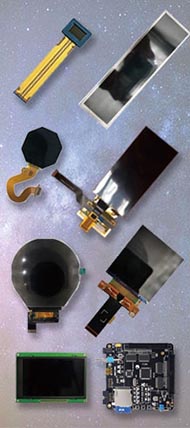
Panox Display’s For Handheld category includes TFT-LCD and AMOLED options with features such as sunlight readability, low power consumption, touch integration, MIPI interface, RGB interface, HDMI controller board support, wide temperature operation, high contrast, and high luminance. The category page also notes that handheld displays often need sunlight readability, low consumption, and touch-panel integration, which are three important starting points for compact product design.
What Defines a Handheld Display Panel?
A handheld display panel is usually smaller than a desktop or industrial monitor, but it has stricter integration requirements. It must fit into a limited mechanical space, work with a compact power system, and remain readable at short viewing distance. The screen may also need to support touch input, cover glass, optical bonding, custom FPC routing, or a controller board for easier development.
A practical handheld display panel is defined by several connected factors: display technology, size, resolution, brightness, contrast, interface, touch structure, operating temperature, optical treatment, and supply stability. A low-cost TFT-LCD can be suitable for a simple embedded interface, while a high-resolution AMOLED panel may be selected when the product needs a thinner structure, stronger contrast, and a more premium visual feel.
The key point is that “handheld” describes the product environment, while the panel technology and specifications define the engineering direction. Two displays with the same diagonal size can have very different resolutions, interfaces, power behavior, thickness, viewing angle, and touch options.
Main Technologies Used in Handheld Display Panels
TFT-LCD and AMOLED are two common choices for handheld device screens. Each has its own structure, driving method, visual performance, and power behavior.
A TFT-LCD is a transmissive display. It uses a backlight as the light source, while the liquid crystal layer and TFT array control how light passes through each pixel. Because the backlight is part of the display system, brightness and power consumption are strongly connected to the backlight design. TFT-LCD technology is mature, widely available, and supported by many interface options, including SPI, RGB, parallel, LVDS, eDP, and MIPI depending on the display model.
AMOLED is an emissive display technology. Each pixel emits light directly, so the module can achieve deep black, high contrast, fast response, and a thin structure. AMOLED panels are often attractive for handheld products that need a refined visual experience, high pixel density, and compact mechanical design.
Power consumption should be evaluated by actual use condition rather than by technology name alone. A review of display technologies focusing on power consumption explains that LCD power includes the backlight because the display cannot operate without it, while emissive displays have different power behavior tied to emitted content and size. The same review found that organic light-emitting displays can perform well in power density for small display sizes, while larger sizes may be less efficient than LCDs under certain conditions.
For handheld product design, this means UI content also matters. A bright white interface, a dark dashboard, a static menu, and a video-heavy interface can produce different power results, especially on OLED-based displays.
Key Specifications to Check Before Selecting a Display
The first specification most teams look at is screen size, but size alone is rarely enough. A good display selection process should also check resolution, pixel density, brightness, contrast, interface, touch design, temperature range, FPC location, and mechanical outline.
Resolution determines how much visual information can be shown. A 240 × 320 display may be enough for a compact menu or status interface, while a 720 × 720 square screen gives more room for icons, data blocks, and modern UI layouts. A 1080 × 1240 or 1080 × 1920 AMOLED panel can support much finer graphics and more detailed content.
Brightness is important, especially when the device may be used near windows, under strong indoor lighting, or outdoors. However, brightness is only part of readability. Reflections, cover glass, coating, air gap, optical bonding, contrast, and UI color design also affect real-world visibility. NIST research on daylight and sunlight display readability proposes measurement methods that consider display performance under daylight and sunlight illumination, including reflection and contrast factors related to hand-held display use.
Contrast ratio affects image depth, black level, and visual clarity. AMOLED panels can achieve very high contrast because black pixels can remain unlit. TFT-LCD contrast depends on panel mode, backlight structure, polarizer, and viewing angle. For a handheld device viewed from different angles, viewing performance should be checked with real content, not only from a datasheet number.
Operating temperature is another practical factor. Many handheld products are used outside controlled office environments. A display that works well at room temperature may respond differently in cold storage, vehicles, outdoor inspection, or field-use conditions. For this reason, the operating temperature range should be checked together with brightness, response, touch performance, and backlight or OLED behavior.
Interface Planning: SPI, RGB, MIPI, eDP, and Controller Boards
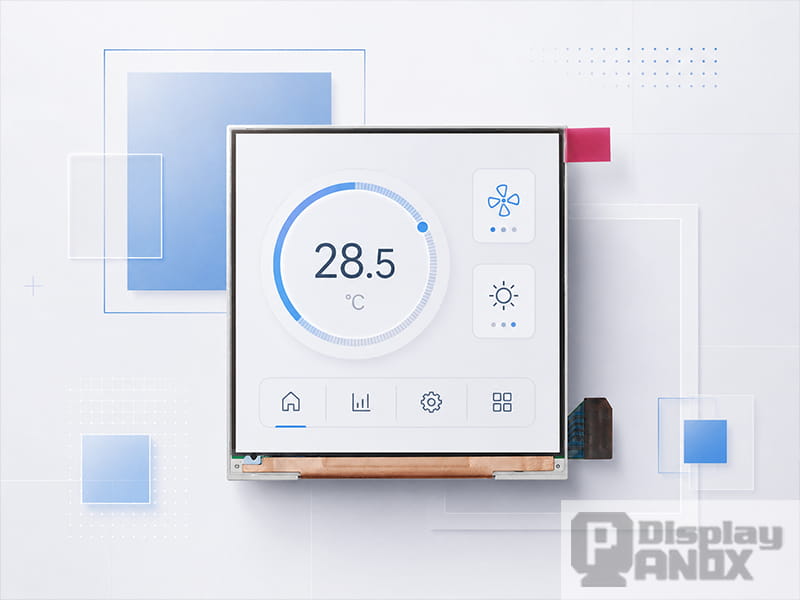
The display interface should be confirmed early because it affects the processor, PCB layout, firmware work, and development schedule. A compact display may use SPI, MCU, parallel, or RGB interface. Higher-resolution panels often use MIPI or eDP because they need more bandwidth and cleaner signal routing.
MIPI DSI is widely used in mobile and embedded display systems. MIPI Alliance describes MIPI DSI as a high-speed serial interface between a host processor and a display module. It is designed for high performance, low power, low EMI, reduced pin count, and compatibility across different vendors. The same MIPI source lists embedded displays, smart meters, video game devices, smart watches, and VR/AR head-mounted devices among its use cases.
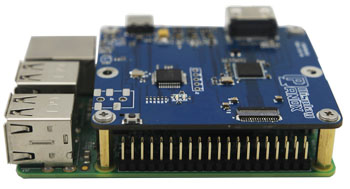
For early-stage development, a controller board can reduce risk. Instead of building the final PCB immediately, engineers can test brightness, color, viewing angle, touch behavior, and UI readability with an HDMI, Type-C, RGB, LVDS, eDP, or MIPI controller solution. Panox Display’s For Handheld page also mentions customized controller and driver boards with input connections including VGA, HDMI, DVI, DP, Type-C video input, MIPI, RGB, LVDS, and eDP.
Touch and Cover Glass Considerations
Many handheld products need touch input, so the display panel should be considered together with the touch panel and cover glass. The final stack may include the display, touch sensor, cover lens, adhesive layer, surface coating, decorative printing, and mechanical frame.
Capacitive touch is common in modern handheld products because it supports a smooth user experience and clean front-panel design. Some AMOLED panels use on-cell touch, which integrates the touch layer directly into the display structure. Other displays may require an external capacitive touch panel or a customized cover glass solution.
Touch design should be planned before the enclosure is finalized. Cover glass thickness, border width, logo position, edge shape, bonding method, and coating can all affect touch sensitivity and optical quality. If the device requires gloves, water resistance, impact protection, or anti-glare surface treatment, those details should be discussed before the tooling stage.
Panox Display states that it provides customized cover glass and touch panel services, including cover glass options and touch IC support, which can help display projects move from sample testing toward a finished product structure.
Panox Display Options for Handheld Device Design
The following Panox examples are selected to show different technical directions inside the For Handheld display panel category. This section is written as a selection reference rather than an application article.
| Engineering direction | Panox Display example | Selection value |
|---|---|---|
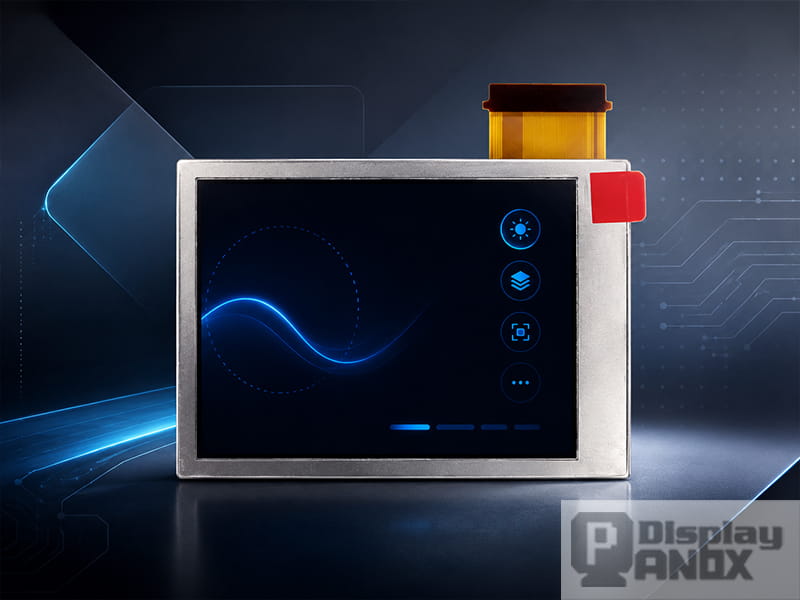
| Compact TFT-LCD with simple driving options | 2.8-inch TFT-LCD, 240 × 320, ILI9341, SPI / RGB / parallel interface | This panel is suitable when a project needs a small color display with practical interface flexibility. Panox describes it as a color active-matrix TFT-LCD using ILI9341, with 240 × 320 resolution, 262K colors, SPI + RGB18-bit and parallel interface support, low-reflection design, and low-temperature operation down to -30°C. |
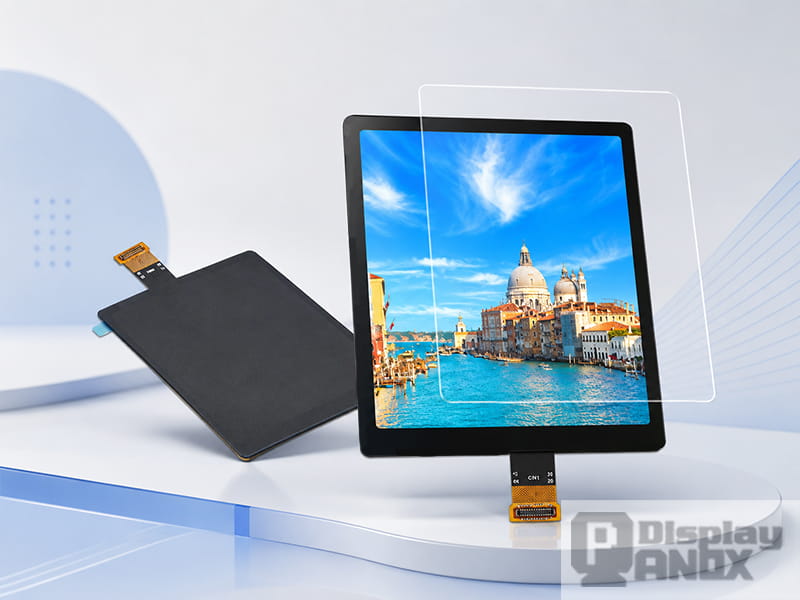
| Square high-PPI TFT-LCD | 3.1-inch square TFT-LCD, 720 × 720, MIPI | A square display gives UI designers more layout freedom while keeping the module compact. Panox lists this model as a 3.1-inch TFT-LCD with 720 × 720 resolution, 1:1 aspect ratio, WLED backlight, 2-lane MIPI interface, 328 PPI, 450 cd/m² typical luminance, 60 Hz refresh rate, and optional HDMI controller board support. |
| High-resolution AMOLED with integrated touch | 3.92-inch AMOLED PCAP, 1080 × 1240, MIPI | This option is useful when the product needs high pixel density, thin structure, high contrast, and integrated touch. Panox describes the 3.92-inch AMOLED as a high-resolution MIPI AM-OLED with integrated on-cell capacitive touchscreen, 1080 × 1240 resolution, 600 cd/m² luminance, RM692C9 driver, low consumption, and sunlight-readable outdoor visibility. |
| Mature 4.3-inch TFT-LCD format | 4.3-inch TFT-LCD, 480 × 272, RGB interface | This is a practical direction for teams that need a familiar 4.3-inch LCD format and RGB interface. Panox lists the 4.3-inch TFT-LCD as an a-Si TFT-LCD with WLED backlight, 480 × 272 resolution, 40-pin structure, 500 cd/m² typical brightness, and -20°C to 70°C operating temperature. |
| Slim AMOLED with mobile-style visual quality | 4.3-inch AMOLED, 540 × 960, MIPI | This panel direction fits projects that need a thinner display stack, vivid color, and stronger contrast. Panox describes the 4.3-inch AMOLED as more than 50% thinner and lighter than LCD, with high contrast, wide color gamut, MIPI interface, 540 × 960 resolution, 300 cd/m² typical luminance, and -40°C to 85°C operating temperature. |
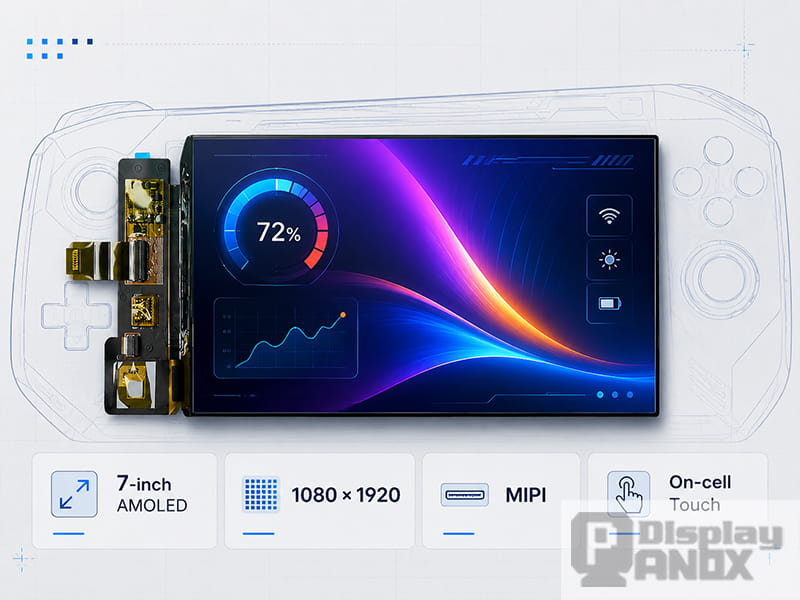
| Larger high-resolution AMOLED | 7-inch AMOLED, 1080 × 1920, MIPI | This direction is suitable when the design needs a larger visual area, high resolution, and a premium OLED viewing experience. Panox lists the 7-inch OLED with 1080 × 1920 resolution, 315 PPI, 800 cd/m² luminance, 100,000:1 contrast ratio, MIPI interface, touch panel compatibility, and -40°C to 70°C operating temperature. |
These examples show how handheld display selection can move in different directions: a simple TFT-LCD for compact control, a square LCD for a more flexible interface layout, a touch-enabled AMOLED for a refined front-panel design, or a larger OLED for high-resolution content. The best choice depends on the electrical platform, mechanical structure, optical requirement, and product positioning.
A Practical Selection Workflow
A clear selection workflow can reduce redesign work later. The process can begin with the basic display format: diagonal size, orientation, aspect ratio, and resolution. Once the visual area is clear, the next step is to check whether the host processor can support the required interface and timing.
After the interface is confirmed, optical performance should be reviewed. Brightness, contrast, viewing angle, color depth, surface treatment, and outdoor visibility are all connected to the final user experience. For any product that may be used under strong ambient light, the team should evaluate real-world readability using the intended cover glass and UI design.
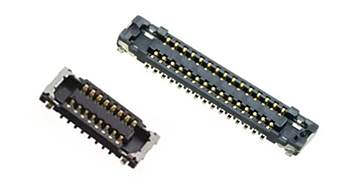
The mechanical stage should include active area, outline size, FPC direction, connector type, mounting space, cover glass size, and housing clearance. A display with strong optical performance can still create problems if the FPC exits in the wrong direction or the connector conflicts with the battery or main PCB.
Touch planning should happen at the same time. If the display has on-cell touch, the front structure may be thinner and easier to assemble. If an external PCAP touch panel is required, the design should allow enough space for the sensor, bonding layer, cover glass, and FPC routing.
Before production, the team should check sample availability, datasheet completeness, controller board support, connector sourcing, touch customization, and long-term supply. The Society for Information Display’s IDMS is a useful reminder that display quality should be evaluated through measurable items such as visual assessment, reflection, uniformity, electrical measurements, motion artifacts, and touch-screen related characteristics.
Common Selection Mistakes
One common mistake is choosing a display only by diagonal size. A 4.3-inch TFT-LCD and a 4.3-inch AMOLED may both fit the same general size class, yet they can differ in resolution, contrast, interface, luminance, operating temperature, thickness, and touch design.
Another mistake is treating brightness as the only outdoor-readability factor. A higher cd/m² value can help, but real visibility also depends on reflection, surface treatment, optical bonding, cover glass, viewing angle, and UI contrast. A handheld product may be tilted toward sunlight, used under uneven lighting, or viewed from a short distance, so the optical stack should be tested as a complete front-panel system.
A third mistake is leaving the display interface decision until late in the PCB design. MIPI, RGB, SPI, parallel, and eDP interfaces have different bandwidth, pin count, signal integrity, and firmware requirements. If the processor and display are selected separately, the team may face avoidable timing, initialization, or connector problems.
A fourth mistake is adding touch and cover glass after the display has already been fixed. Touch structure, cover lens thickness, bonding, coating, and enclosure design all influence the finished product. These decisions should be made together with display selection, especially for handheld devices where the screen is also the main user interface.
Conclusion
A handheld display panel is a key design component in portable electronics. It affects how the product looks, how users interact with it, how much power the system consumes, and how easily the device can move from prototype to production. A good selection process should consider display technology, interface, optical performance, touch structure, mechanical integration, and long-term supply at the same time.
TFT-LCD remains a practical choice for many compact handheld designs because it is mature, flexible, and available in many interface formats. AMOLED is attractive when the product needs a thinner module, stronger contrast, high pixel density, and a more refined visual experience. Square LCDs, touch-enabled AMOLED panels, and larger high-resolution OLED displays also give engineers more room to build distinctive portable products.
Panox Display supports For Handheld display panel projects with TFT-LCD and AMOLED options including compact 2.8-inch TFT modules, 3.1-inch square MIPI LCDs, 3.92-inch AMOLED PCAP touch displays, 4.3-inch TFT-LCD and AMOLED panels, and 7-inch high-resolution AMOLED displays. For a smoother development process, product teams should confirm the display interface, brightness target, touch structure, cover glass design, operating temperature, controller board requirement, and mechanical layout before finalizing the PCB and enclosure.
FAQs:
What is a handheld display panel?
A handheld display panel is a compact screen module used in portable electronic devices. It can be based on TFT-LCD, AMOLED, or other display technologies, depending on the product’s visual, electrical, mechanical, and power requirements.
Which is better for handheld devices, TFT-LCD or AMOLED?
TFT-LCD is often selected for mature supply, stable cost, predictable backlight control, and broad interface availability. AMOLED is often selected for thin structure, high contrast, vivid color, fast response, and premium visual quality. The better choice depends on resolution, brightness, interface, power budget, operating temperature, and product positioning.
Is MIPI necessary for a handheld display panel?
MIPI is common for higher-resolution handheld displays, but it is not the only option. Smaller displays may use SPI, RGB, MCU, or parallel interfaces. The correct interface depends on the display resolution, host processor, frame rate, PCB design, and development resources.
Should the touch panel be selected together with the display?
Yes. The touch sensor, cover glass, bonding method, and display module should be planned as one front-panel structure. This helps avoid problems with thickness, sensitivity, FPC routing, optical clarity, and enclosure fit.
What should be checked before ordering display samples?
Before ordering samples, engineers should check display size, resolution, interface, brightness, contrast, viewing angle, operating temperature, FPC direction, connector type, touch availability, cover glass requirements, controller board options, datasheet availability, and supply plan.