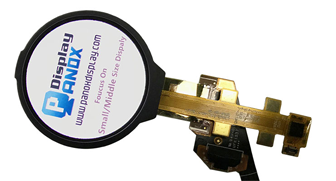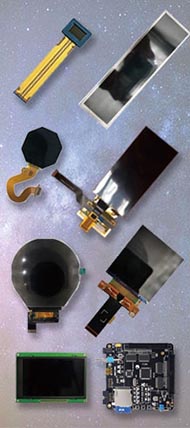




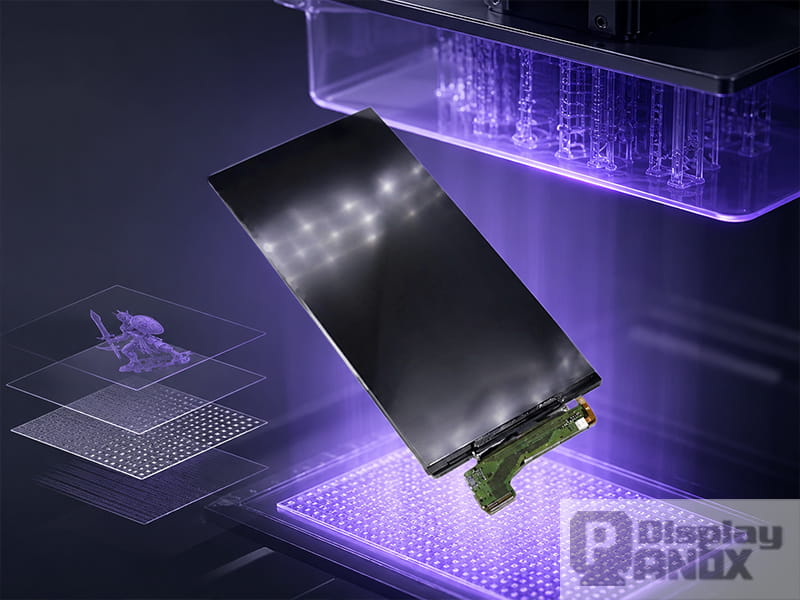
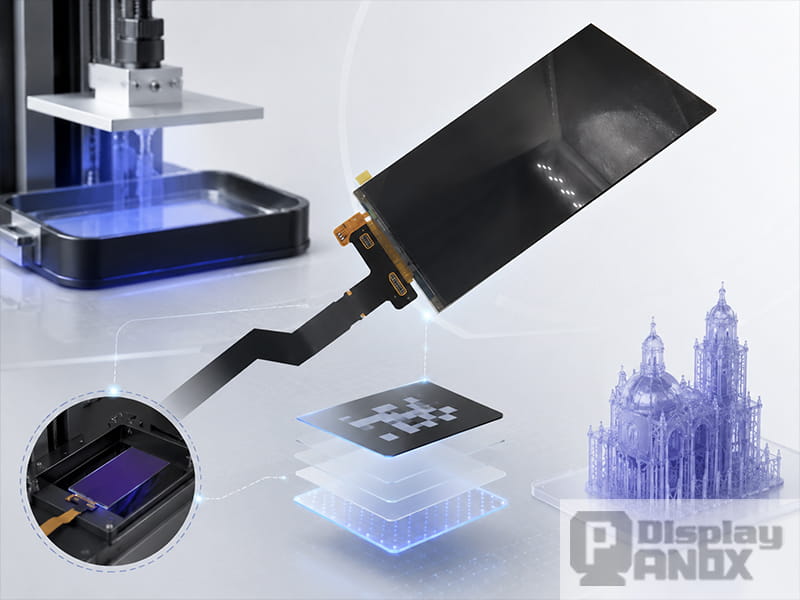
5.5 inch LCD 4K Resolution For 3D Printing/Projector
A 3D printing display panel is a specialized LCD screen used inside an LCD resin 3D printer to control where UV light reaches the resin. In this type of printer, the screen is not mainly used for showing menus or images to a user. It works as a high-resolution optical mask, turning each sliced layer of a 3D model into a precise light pattern.
This is especially important in resin 3D printing, also known as LCD-based vat photopolymerization or MSLA printing. Vat photopolymerization is one of the main categories of additive manufacturing, where liquid photopolymer resin is selectively cured by light to form solid objects layer by layer. Research and industry sources commonly describe LCD/MSLA printing as a mask-based approach that uses an LCD screen to expose an entire layer at once, instead of tracing the layer point by point with a laser.
For printer manufacturers, repair suppliers, and hardware developers, the display panel directly affects print resolution, curing speed, usable build area, exposure consistency, and long-term maintenance cost. This is why choosing a 3D printing LCD is different from choosing a normal phone, tablet, or HMI display.
What Does “3D Printing Display Panel” Mean?
In the 3D printer industry, the term “display panel” can refer to two different parts.
The first is the user interface screen, such as a small TFT touchscreen on an FDM printer or resin printer. This screen is used to select files, adjust settings, and monitor the print status.
The second meaning is more specific: the LCD masking panel used inside an LCD resin printer. This is the display panel discussed in this article. It sits between the UV light source and the resin vat, allowing selected pixels to transmit light while blocking the rest. Panox Display’s 3D printing product category focuses mainly on this type of high-resolution TFT-LCD panel for UV curing 3D printers, including 5.5-inch, 6.0-inch, 6.08-inch, 8.9-inch options.
A normal LCD display is designed to produce a visible image for the human eye. A 3D printing LCD must handle a more demanding job: it has to transmit near-UV light, usually around 405 nm, with enough efficiency and uniformity to cure resin accurately. The panel may also need to work without a backlight, because the printer has its own UV LED light engine beneath the screen.
How LCD Resin 3D Printing Works
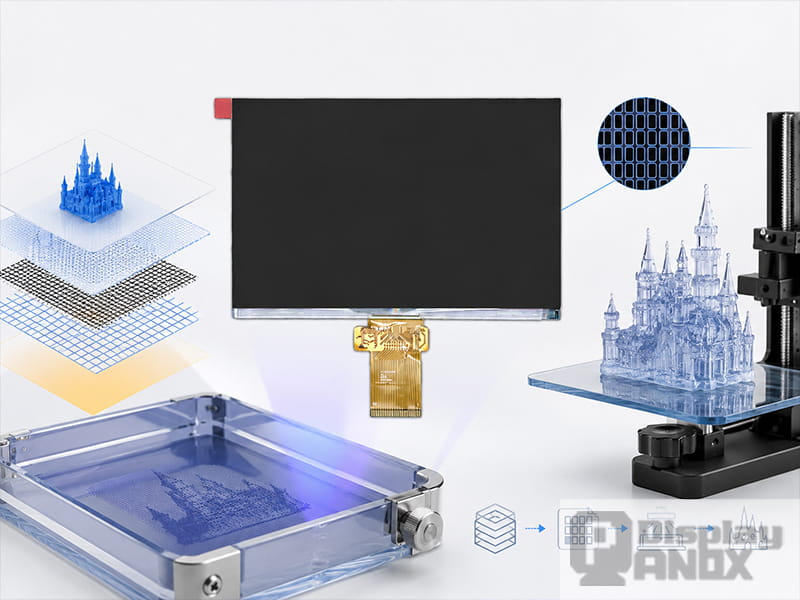
8.9-Inch Monochrome LTPS TFT-LCD Display for 3D Printer
An LCD resin printer uses a vat of liquid photopolymer resin. Below the vat, a UV light source shines upward through the LCD screen. The printer software slices a 3D model into many thin 2D layers. For each layer, the LCD displays a black-and-white mask: transparent areas allow UV light to pass, while dark areas block light.
Where the UV light passes through, the resin cures and becomes solid. After one layer is cured, the build platform moves slightly, fresh resin flows into place, and the next layer is exposed. This process repeats until the full part is formed.
Compared with laser SLA, which scans a laser path across the resin, LCD/MSLA printing exposes a whole layer at once. Compared with DLP, which uses a projector or micromirror system, LCD printing uses a flat-panel LCD as the patterning device. This simple optical structure is one reason LCD resin printers became popular in desktop, dental, jewelry, prototyping, and small-batch manufacturing markets. Formlabs describes MSLA/LCD printing as a masked photopolymerization process where LCD screens mask the light and cure only the desired cross-section of the part.
Why the LCD Panel Matters So Much
A 3D printer’s mechanical structure is important, but the LCD panel determines how finely each layer can be drawn in the XY plane. A higher pixel density usually means smaller pixels, which can help the printer produce sharper edges, finer details, and smoother surfaces.
However, resolution alone does not tell the whole story. A very high-resolution panel with poor UV transmission may require longer exposure times. A large panel with uneven light distribution may create different curing behavior in the center and near the edges. A panel with weak UV resistance may degrade quickly under long-term exposure.
NIST research on LCD-based vat photopolymerization found that irradiance, spectral characteristics, and optical divergence can vary across the light engine, and these variations can affect polymerization, surface texture, and part fidelity. This supports a practical point that printer builders already understand: print quality depends on the full optical system, including the LCD panel, UV light source, collimation, cooling, resin, and exposure settings.
Monochrome LCD vs. RGB LCD in Resin 3D Printing
Early LCD resin printers often used RGB LCD panels adapted from consumer electronics. These panels could work, but the color filter layer reduced UV transmission. As resin printers developed, monochrome LCD panels became more common because they allow more UV light to pass through.
A monochrome LCD does not need red, green, and blue color subpixels for image display. For resin curing, color reproduction is irrelevant. What matters is whether the screen can create a sharp mask and transmit 405 nm light efficiently. Panox Display’s 6.08-inch 2K monochrome LCD, for example, is designed without backlight and uses a monochrome structure to improve UV light efficiency for 3D printing applications.
In practical printer design, a monochrome LCD can help reduce exposure time, improve curing efficiency, and extend screen service life compared with older RGB-based solutions. The exact result still depends on the light engine, resin formulation, cooling design, and exposure profile.
Key Specifications to Check Before Choosing a 3D Printing LCD
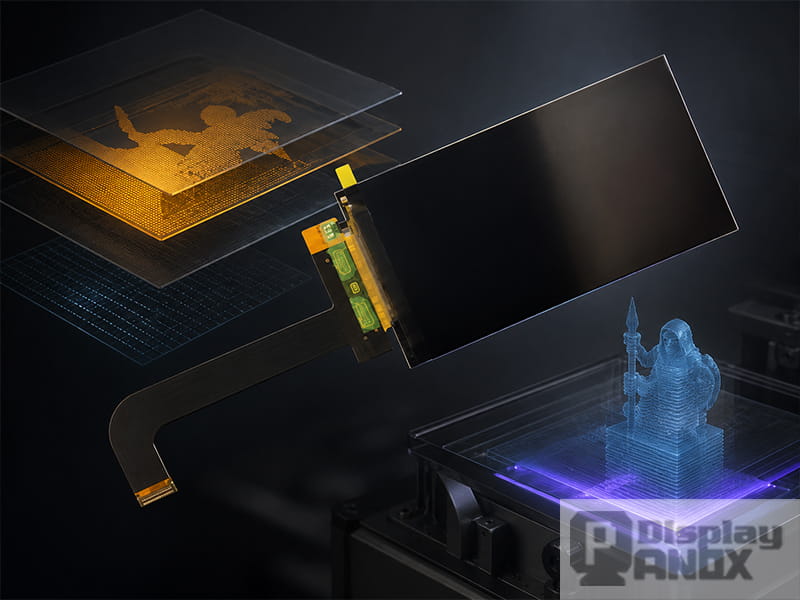
When selecting a display panel for a resin 3D printer, the datasheet should be read differently from a normal display project. Brightness, color gamut, and viewing angle may be less important than optical transmission, pixel density, contrast under UV exposure, and mechanical compatibility.
The first factor is size. LCD size determines the possible build area. A 5.5-inch or 6-inch panel is suitable for compact desktop resin printers, while 8.9-inch panel are used for larger build volumes.
The second factor is resolution and pixel pitch. A 5.5-inch 4K LCD can offer very high pixel density, while a larger 8.9-inch 4K panel provides a wider exposure area with strong detail capability. For example, Panox Display lists an 8.9-inch monochrome LTPS TFT-LCD for 3D printers with 3840 × 2400 resolution and 508 PPI, designed for high-resolution resin printing.
The third factor is UV performance. A 3D printer LCD needs to work with a 405 nm UV or near-UV light source. Transmission efficiency, contrast at the curing wavelength, and long-term UV resistance will influence exposure time and screen lifetime.
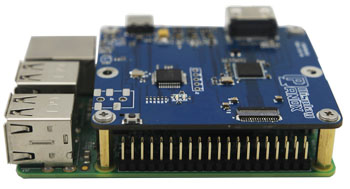
The fourth factor is interface and driver support. Many small and medium 3D printing LCD panels use MIPI, while some larger or higher-resolution options may use LVDS. For development, an HDMI-to-MIPI or HDMI-to-LVDS controller board can make testing easier before the printer’s final electronics are completed.
The fifth factor is mechanical structure. Many 3D printer LCDs are supplied without a backlight. Some are original display panels with backlight removed, while others are customized for 3D printing from the beginning. Thickness, glass strength, FPC direction, active area, and mounting tolerance all matter when integrating the panel into a resin vat structure.
Common 3D Printing LCD Options from Panox Display
Panox Display supplies several LCD panels suitable for UV curing 3D printers, from compact 2K panels to larger 4K and WQXGA solutions. The following options are useful starting points for printer development, replacement supply, and small-to-medium production projects.
| Display Option | Typical Use | Key Value |
|---|---|---|
| 5.5-inch 2K TFT-LCD, 1440 × 2560, MIPI | Compact resin printers and replacement projects | Mature size, high pixel density, widely used in earlier LCD/MSLA printer designs |
| 5.5-inch 4K TFT-LCD, 2160 × 3840, MIPI | High-detail compact resin printers | Higher resolution and finer XY detail for small build areas |
| 6.0-inch 2K TFT-LCD, 1440 × 2560, MIPI | Desktop resin printer development | Suitable for compact 2K UV curing systems |
| 6.08-inch 2K monochrome LCD, 1620 × 2560, MIPI | Faster curing and improved UV efficiency | No backlight, monochrome structure, designed for 3D printing |
| 8.9-inch 2K TFT-LCD, 2560 × 1600, MIPI | Larger desktop or prosumer resin printers | Wider build area with WQXGA resolution |
| 8.9-inch 4K monochrome LTPS TFT-LCD, 3840 × 2400, LVDS | High-resolution large resin printers | 508 PPI, large active area, suitable for detailed resin printing |
These product directions are based on Panox Display’s 3D printing tag page and related product listings, where 5.5-inch 2K, 5.5-inch 4K, 6.0-inch 2K, 6.08-inch 2K monochrome, 8.9-inch 2K, 8.9-inch 4K are listed for 3D printing applications.
2K, 4K, 8K, and Beyond: What Resolution Really Means
In LCD resin printing, “2K” or “4K” describes the pixel count of the LCD panel, but print detail depends on how those pixels are distributed across the build area. A small 4K panel can have much smaller pixels than a large 4K panel. This is why two printers with the same “4K” label may produce different XY resolution.
For a resin printer buyer or developer, the better question is: what is the pixel size on the actual build area? A smaller pixel size can create finer details, but it may also reduce optical power per pixel if the panel structure limits light transmission. Formlabs notes that higher LCD density can improve possible resolution, while smaller pixels may reduce light transmission and lower optical power delivered to the resin.
Academic research also shows why LCD printing has become attractive for high-resolution fabrication. A 2024 Lab on a Chip paper reported low-cost LCD photopolymerization 3D printing with 8–58 million pixels and pixel sizes around 18–35 μm for microfluidic and organ-on-a-chip device fabrication. This does not mean every commercial printer will reach the same performance, but it clearly shows the technical potential of high-pixel-count LCD exposure systems.
Where 3D Printing LCD Panels Are Used
6.0 inch LCD For Cellphone/3D Printing
LCD panels for resin 3D printing are widely used in compact desktop machines, professional dental printers, jewelry casting workflows, miniatures, model making, engineering prototypes, and research equipment.
In dental and jewelry applications, fine surface quality and edge accuracy are especially important. The LCD panel must create clean layer masks so small features can be cured consistently. In prototyping and product development, a larger LCD panel can improve productivity by printing more parts in one job. In research fields such as microfluidics, high-resolution LCD photopolymerization can support small channels, membranes, and device structures that require controlled exposure.
The best LCD choice depends on the balance between print area, pixel size, optical power, cost, availability, and replacement strategy. A small high-PPI panel may be ideal for fine detail. A larger monochrome panel may be better for throughput. A mature 2K panel may still be suitable when cost, supply stability, and repair convenience matter more than maximum resolution.
Why Many 3D Printer LCDs Are Supplied Without Backlight
A normal LCD module includes a backlight because it needs to show visible images. In a resin printer, the LCD panel does not need its own backlight. The printer has a UV LED light source below the screen, and the LCD works as a light mask.
This is why many 3D printing LCD panels are supplied as cells or FOG modules without backlight. In some cases, printer manufacturers used original consumer LCDs and removed the backlight. In newer designs, dedicated 3D printing LCDs can be manufactured without backlight from the start, which helps simplify integration and improve optical design.
Panox Display’s 3D printing category specifically mentions TFT-LCD panels without backlight, including original LCDs with the backlight removed and customized 3D printing LCDs designed without backlight.
How to Choose the Right LCD Panel for a Resin 3D Printer Project
For a new printer design, start with the target build volume. The LCD active area should match the resin vat, optical window, and Z-axis structure. Then define the required XY resolution. If the printer is aimed at miniatures, dental models, or jewelry, a high-PPI panel may be worth the cost. If the printer is aimed at general prototyping, a larger 2K or 4K panel may offer a better balance.
Next, evaluate optical requirements. Confirm the curing wavelength, usually 405 nm, and check whether the LCD structure is suitable for UV or near-UV transmission. A monochrome LCD is often preferred when faster exposure and better UV efficiency are required.
After that, check the electronics. A MIPI or LVDS panel may need a matching controller board during development. If the project requires quick evaluation, using an HDMI controller board can reduce the early engineering workload. For production, the final driver solution should be matched with the printer’s mainboard, firmware, and exposure control system.
Finally, consider supply and maintenance. In resin printers, the LCD is exposed to heat, UV light, resin environment, and repeated operation. Even with good cooling and correct exposure settings, the screen is a critical consumable component. A stable LCD supply is important for both printer manufacturing and after-sales replacement.
Panox Display Support for 3D Printing LCD Projects
Panox Display provides small and medium-size TFT-LCD panels for 3D printing applications, including 2K, 4K, and monochrome LCD options. For development and batch projects, Panox can support product selection based on size, resolution, interface, active area, and application requirements.
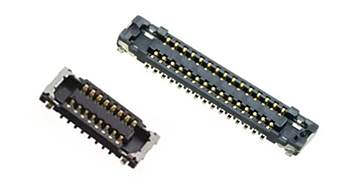
Available support may include LCD panel sourcing, no-backlight LCD options, HDMI/MIPI or HDMI/LVDS controller board suggestions, connector support, and customized cover glass or touch panel services when needed for the complete device design. For printer manufacturers, repair suppliers, and hardware developers, this can shorten the path from early testing to stable supply.
If you are developing a new resin 3D printer, upgrading an existing LCD masking system, or looking for replacement LCD panels for 3D printing equipment, you can browse Panox Display’s 3D printing display panel list or contact the team with your target screen size, resolution, interface, and optical requirements.
Conclusion
A 3D printing display panel is one of the most important components in an LCD resin printer. It defines the layer mask, influences XY detail, affects exposure speed, and plays a major role in print consistency. For professional printer design, the right LCD is not chosen by resolution alone. Size, pixel density, UV transmission, monochrome structure, contrast, interface, thermal design, and supply stability all need to be considered together.
As LCD/MSLA resin printing continues to move toward higher resolution, larger build areas, and faster production, specialized LCD panels will remain central to printer performance. A well-matched 2K, 4K, or monochrome LCD can help create a more reliable printing system with cleaner details, smoother surfaces, and better production efficiency.
Learn more: Applications of 3D Printing Display Panels: Where LCD Screens Are Used in Resin 3D Printers