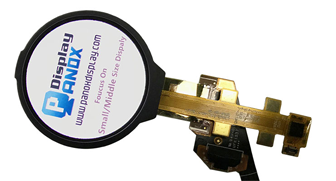




8.9-Inch Monochrome LTPS TFT-LCD Display for 3D Printer
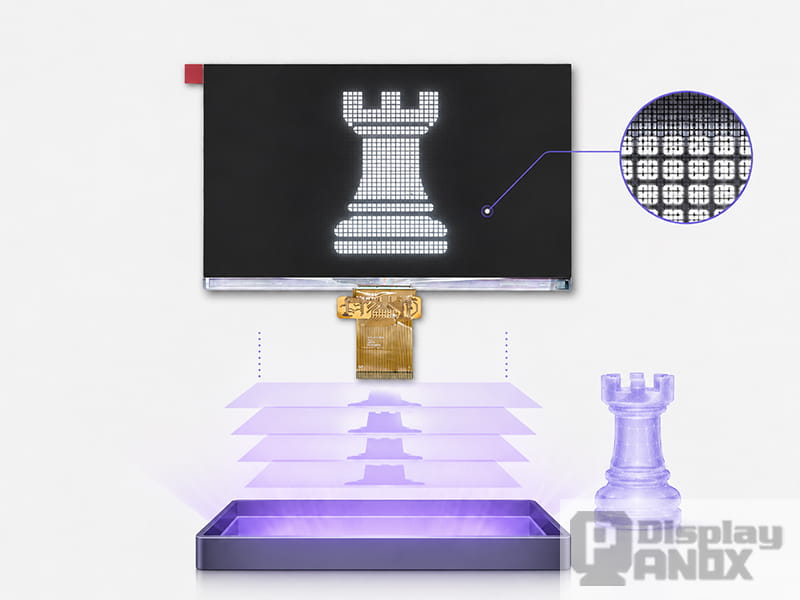
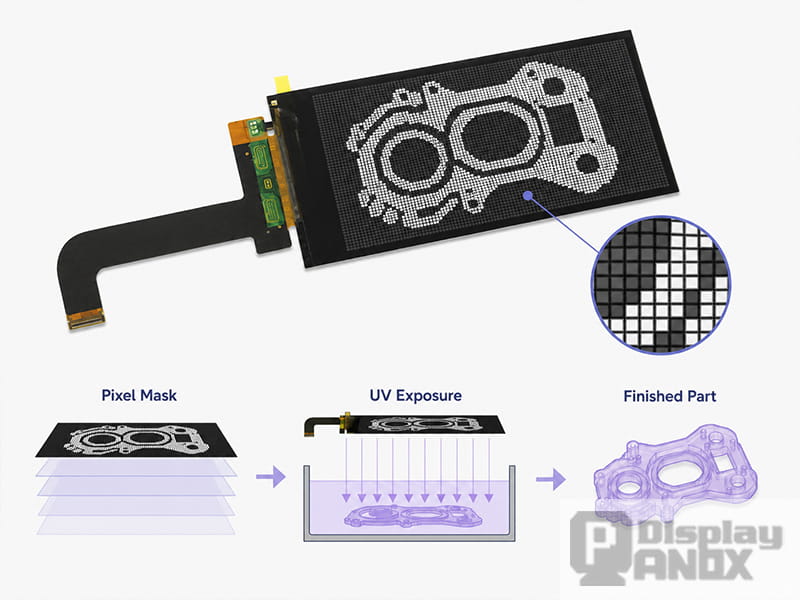
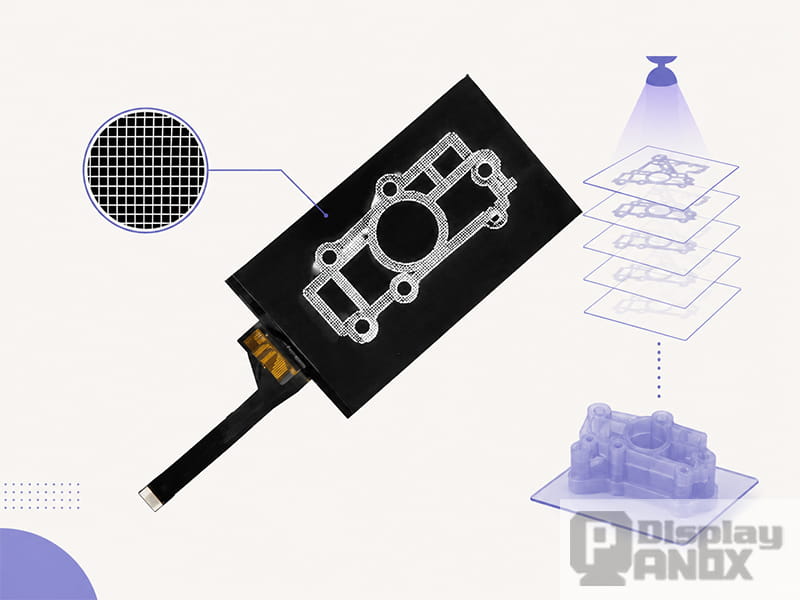
In LCD resin 3D printing, the display panel is one of the most important components inside the whole machine. It controls which parts of each resin layer receive light, how sharply the layer pattern is formed, how much optical energy reaches the resin, and how consistently the same curing result can be repeated across the build area.
This is why the LCD panel should not be treated as a simple replacement screen. In a resin printer, it works as a precision optical mask. A small difference in pixel density, light transmission, contrast, UV resistance, or thermal stability can influence print accuracy, exposure time, surface quality, and long-term maintenance cost.
According to ISO/ASTM 52900, vat photopolymerization is an additive manufacturing process where liquid photopolymer in a vat is selectively cured by light-activated polymerization. LCD/MSLA resin printing belongs to this broader technical family, using a display panel to control the exposure pattern for each printed layer.
1. The LCD Panel Defines the XY Detail of the Printed Part
In resin 3D printing, the Z-axis resolution is mainly related to layer height and mechanical motion. The XY detail, however, is strongly connected to the LCD panel’s pixel structure. Each pixel works like a small window that either allows or blocks curing light.
A higher-resolution LCD panel can create smaller projected pixels across the build area. This helps the printer reproduce fine edges, small holes, sharp text, miniature details, dental features, jewelry patterns, and other delicate geometries. This is one reason why 2K, 4K, 6K, 8K, and higher-resolution LCD resin printers became popular in desktop and professional markets.
However, resolution alone is not enough. A 4K LCD on a small active area will produce smaller pixels than a 4K LCD on a much larger active area. For real print performance, the relationship between screen size, resolution, active area, and pixel pitch matters more than the “K” label itself.
Formlabs explains that denser LCD screens can provide smaller pixels and higher possible part resolution, while smaller pixels can also reduce light transmission and lower optical power delivered to the resin. This is exactly why LCD selection is always a balance between detail, exposure speed, panel structure, and optical efficiency.
2. The LCD Panel Controls UV Light Transmission
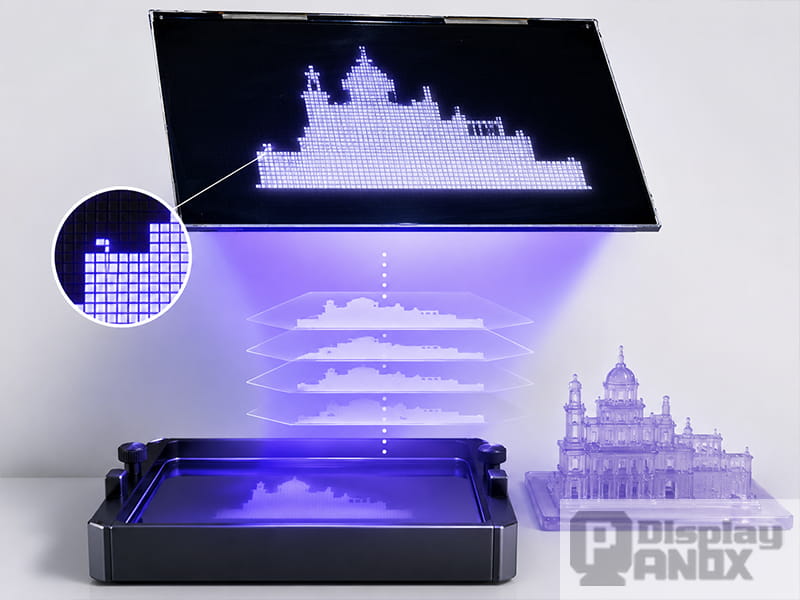
8.9 inch TFT-LCD IPS For Tablet/3D Printing
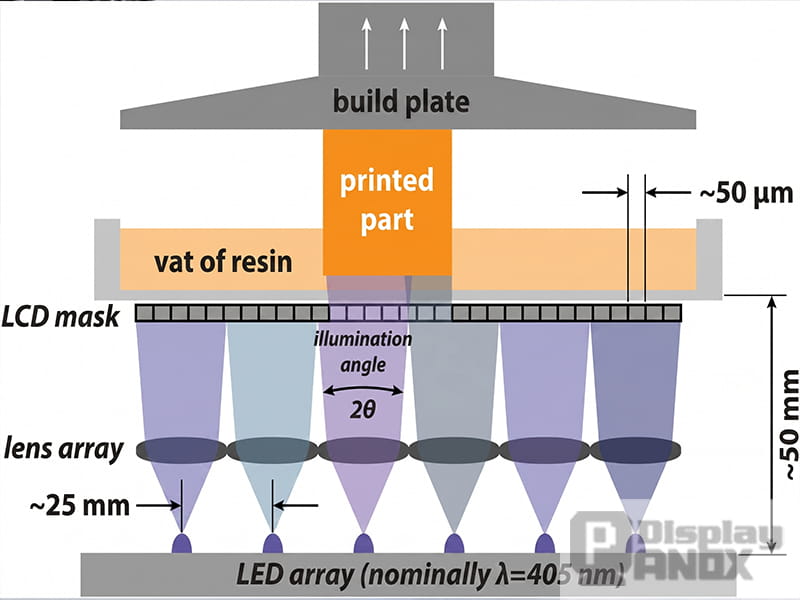
Most LCD resin printers use light around 405 nm to cure photopolymer resin. The LCD panel must allow enough of this light to pass through the transparent pixels while blocking light in the dark areas. If transmission is too low, the printer may need longer exposure times. If blocking performance is poor, unwanted resin may partially cure, causing blurred edges or loss of detail.
This is where monochrome LCD panels become especially valuable. A color RGB LCD includes color filter structures designed for image display. Those filters are useful for phones and tablets, but they reduce light efficiency in a resin printer. A monochrome LCD removes the need for RGB color filtering, allowing more curing light to pass through the panel.
For 3D printing, color reproduction is almost irrelevant. What matters is clean masking, high contrast, enough 405 nm transmission, and stable optical behavior during repeated exposure.
Panox Display’s 3D printing category includes TFT-LCD panels without backlight for UV curing 3D printers, including 5.5-inch 2K, 5.5-inch 4K, 6.0-inch 2K, 6.08-inch 2K monochrome, and 8.9-inch LCD options. These product directions are more aligned with the optical-masking role of LCD resin printers than ordinary consumer display use.
3. Light Uniformity Affects Print Consistency
A resin printer does not only need strong light. It needs light that is stable and evenly distributed across the whole exposure area. If the center receives more energy than the edges, the same model may cure differently depending on where it is placed on the build platform.
This can lead to several practical problems: inconsistent part dimensions, different surface textures, uneven curing depth, fragile details in one area, or overcured edges in another area. For users, these problems may look like resin setting errors, but the root cause can be the optical system, including the LCD panel, LED array, lens design, and light engine structure.
NIST research on LCD-based vat photopolymerization mapped irradiance, spectral characteristics, and optical divergence in a nominally 405 nm light engine. The study found positional variations that affected polymerization behavior, surface texture, and part fidelity. This supports an important engineering point: the LCD panel and the optical system should be evaluated together, especially in printers designed for repeatable production.
4. The Display Panel Influences Exposure Speed
Exposure speed is not only determined by LED power. The LCD panel plays a major role because it controls how much usable light reaches the resin.
A panel with better UV transmission can help reduce layer exposure time. A monochrome LCD can usually support faster curing than an older RGB LCD structure under similar optical conditions. This is one of the reasons many modern resin printers shifted from RGB LCD panels to monochrome LCD panels.
For printer manufacturers, faster exposure can improve the user experience and increase productivity. For batch printing, even a small reduction in exposure time per layer can matter. A model printed with hundreds or thousands of layers can save noticeable time when the optical path is more efficient.
At the same time, pushing exposure too aggressively can create overcuring, detail swelling, or dimensional errors. A good LCD panel gives the printer more usable optical headroom, but the final result still depends on resin sensitivity, light intensity, layer height, slicer settings, and thermal design.
5. The LCD Panel Affects Surface Quality and Edge Accuracy
A high-quality resin print should have clean edges, smooth surfaces, and stable detail reproduction. The LCD panel contributes to all of these areas.
When the LCD mask is sharp, the boundary between exposed and unexposed resin is more controlled. When the panel has good contrast, dark areas can block unwanted curing light more effectively. When the pixel grid and optical path are well matched, layer patterns can be formed with less bleeding and less edge blur.
In high-detail applications such as miniatures, dental models, jewelry casting, microfluidic devices, and engineering prototypes, these differences can become very visible. A poor masking panel may still cure resin, but it can make fine structures look soft or slightly swollen.
Research published in Lab on a Chip showed that LCD photopolymerization 3D printing can support high-resolution direct fabrication, including microfluidic structures, when pixel size, resin formulation, exposure, and illumination behavior are properly considered. The study used LCD systems with millions of pixels and pixel sizes in the tens of micrometers, showing why LCD-based exposure has become technically attractive beyond hobby-level printing.
6. Screen Size Determines the Practical Build Area
The LCD panel’s active area directly affects the printer’s build area. A small 5.5-inch or 6.0-inch LCD is suitable for compact desktop resin printers. An 8.9-inch or 10.1-inch LCD can support a larger print area, making it useful for bigger models or higher productivity.
This is why screen size and resolution must be evaluated together. A larger panel can print more parts at once, but if the resolution does not increase proportionally, the pixel size becomes larger. A smaller panel may offer finer XY detail, but the build area is limited.
Panox Display’s 3D printing product range covers several useful size and resolution directions. For compact machines, the 5.5-inch 1440 × 2560 LCD and 5.5-inch 2160 × 3840 4K LCD are suitable for high-density desktop exposure systems. For larger printers, the 8.9-inch monochrome LTPS TFT-LCD with 3840 × 2400 resolution and 508 PPI provides a larger active area while maintaining strong pixel density.
7. Interface and Driver Compatibility Decide Development Difficulty
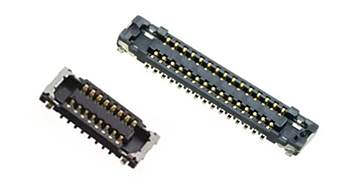
A resin 3D printer LCD cannot work alone. It needs a compatible driving solution, stable signal transmission, correct voltage control, and proper timing. Many small and medium-size LCD panels use MIPI interface, while larger or high-resolution panels may use LVDS.
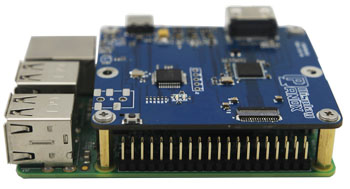
For early development, an HDMI-to-MIPI or HDMI-to-LVDS controller board can make testing easier. Engineers can verify panel display, exposure masks, optical alignment, and software workflow before designing the final printer electronics.
For production, interface stability becomes more important. Poor signal quality, mismatched timing, or unstable panel driving can cause screen flicker, exposure errors, or failed layers. This is why LCD selection should include both the panel specification and the available driving solution.
Panox Display’s 3D printing LCD products include MIPI and LVDS options, such as 5.5-inch and 6.0-inch MIPI LCD panels, as well as an 8.9-inch LVDS monochrome LTPS TFT-LCD option for larger high-resolution 3D printer designs.
8. Thermal Stability and Lifetime Matter in Real Use
A 3D printing LCD works in a demanding environment. It is exposed to strong light, heat, repeated layer switching, and long print jobs. Even if the panel is not showing normal full-color images, it is under continuous optical and thermal stress.
Heat can affect liquid crystal behavior, optical transmission, adhesive stability, polarizer condition, and long-term panel reliability. Poor cooling may shorten screen life or create unstable exposure performance. For high-power light engines, thermal management around the LCD becomes especially important.
NIST notes that many LCD-based printers operate around 405 nm because LCD screens can degrade rapidly under shorter UV wavelengths below 400 nm. This reinforces why wavelength choice, panel material, cooling design, and exposure energy should be considered together during printer development.
9. Why the Panel Is Often Supplied Without Backlight
6.08 inch monochrome LCD 2K Resolution For 3D printing
A normal LCD module includes a backlight so people can see images on the screen. In an LCD resin printer, the backlight is not needed. The printer uses its own UV LED or near-UV light source below the LCD panel. The LCD works as the mask between the light source and the resin vat.
For this reason, many 3D printing LCD panels are supplied without a backlight. Some are original display panels with the backlight removed, while others are designed as no-backlight LCDs for 3D printing use from the beginning.
This structure helps the printer’s optical engine send light through the LCD directly. It also gives engineers more freedom to design the UV light path, cooling structure, glass support, and panel mounting system.
Panox Display specifically notes that TFT-LCDs for 3D printing are without backlight, including original LCDs with the backlight removed and customized 3D printing LCDs made without backlight.
10. Choosing the Right LCD Panel Reduces Product Risk
For a resin 3D printer brand, the LCD panel affects more than image quality. It influences machine positioning, printing speed, material compatibility, after-sales cost, and user satisfaction.
A low-cost panel may look attractive at the prototype stage, but it can create problems if supply is unstable, optical performance is inconsistent, or replacement screens are hard to source. A higher-resolution panel may improve marketing appeal, but it also needs suitable UV power, thermal design, and a reliable driver board. A large-format LCD can increase productivity, but it requires better optical uniformity and mechanical support.
The right LCD selection should start from the printer’s target use. A compact hobby printer may focus on cost and availability. A dental or jewelry printer needs detail and repeatability. A larger professional printer needs build area, light uniformity, and supply stability. A research printer may need high pixel density, precise exposure control, and carefully characterized optical behavior.
11. Panox Display LCD Options for 3D Printing Applications
Panox Display provides several LCD panel directions for UV curing and LCD resin 3D printer applications. These options can support different machine sizes, resolution targets, and development needs.
| LCD Option | Resolution | Interface | Suitable Direction |
|---|---|---|---|
| 5.5-inch TFT-LCD | 1440 × 2560 | MIPI | Compact 2K resin printer or replacement LCD projects |
| 5.5-inch 4K TFT-LCD | 2160 × 3840 | MIPI | High-detail compact resin printers and projector-related applications |
| 6.0-inch TFT-LCD | 1440 × 2560 | MIPI | Desktop resin printer development |
| 6.08-inch monochrome TFT-LCD | 1620 × 2560 | MIPI | Faster UV curing and monochrome LCD printer designs |
| 8.9-inch monochrome LTPS TFT-LCD | 3840 × 2400 | LVDS | Larger high-resolution resin printers requiring strong pixel density |
For buyers and engineering teams, these panels can be evaluated based on active area, resolution, interface, monochrome or full-color structure, optical requirements, mechanical size, FPC direction, and controller board support.
Conclusion
The LCD display panel is important in resin 3D printing because it is the component that turns digital slice data into real curing patterns. It affects XY resolution, exposure speed, optical efficiency, light uniformity, edge sharpness, surface quality, screen lifetime, and printer development complexity.
A better LCD panel does not automatically solve every printing problem, but it gives the printer a stronger foundation. When the panel has suitable resolution, good UV transmission, stable masking performance, reliable interface support, and proper thermal compatibility, the whole printing system becomes easier to optimize.
For resin printer manufacturers, repair suppliers, and hardware developers, choosing the right 3D printing LCD panel is one of the most practical ways to improve print quality and reduce long-term product risk. Panox Display can provide 2K, 4K, and monochrome TFT-LCD options for different LCD resin 3D printer projects, helping customers match the display panel with the target build area, optical system, and production requirements.
Learn more: What Is a 3D Printing Display Panel? A Practical Guide to LCD Screens for Resin 3D Printers