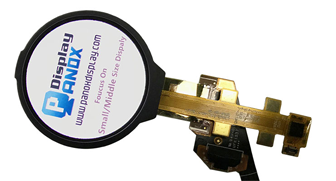




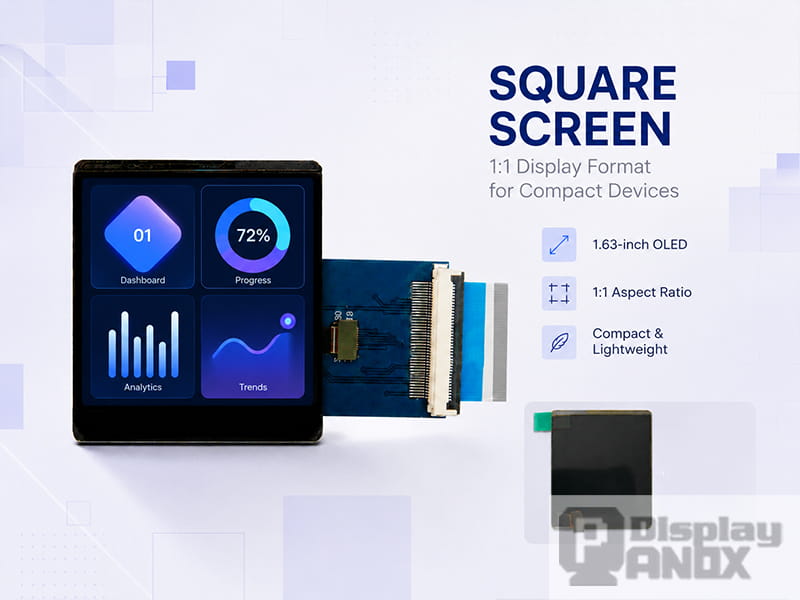
1.63 inch OLED For Wearable Smartwatch
A square screen is a display panel with a width and height that are nearly equal, usually described as a 1:1 aspect ratio. In practical product design, this format often appears as resolutions such as 280×280, 320×320, 480×480, 720×720 or 2160×2160 pixels. The shape looks simple at first glance, yet it changes how information is arranged, how users interact with the device, and how the display fits into a compact mechanical structure.
For many years, wide rectangular screens dominated phones, laptops, televisions and monitors because video content naturally favors landscape layouts. Small devices follow a different logic. A smartwatch, smart home controller, industrial meter, handheld terminal or VR optical module may need balanced space in both directions. In these cases, a square screen can make the interface feel more stable, direct and space-efficient.
Square screens are also easy to rotate in software. A 480×480 or 720×720 interface can be used without a strong portrait-or-landscape bias, which helps when the product may be mounted in different directions or used in a compact enclosure.
What Does “Square Screen” Mean in Display Engineering?
In display engineering, “square” usually refers to the active display area or pixel matrix, rather than the full outline size of the module. The visible area may be square, while the module outline can still include an FPC tail, driver IC area, backlight structure, cover glass bonding area or mounting margin.
This distinction matters. When a product designer asks for a square display panel, the key values to check are usually:
-
Active area
-
Display resolution
-
Aspect ratio
-
Module outline size
-
FPC position
-
Interface type
-
Touch panel structure
-
Viewing direction and mounting orientation
For example, a 4.0 inch 480×480 square LCD may have a 1:1 pixel matrix, but its outline can be slightly taller or wider because the electronics and mechanical border need space. The same idea applies to small square AMOLED panels used in wearable devices: the active area can be square while the total module includes a connector area.
A good square screen selection should therefore start with the active display area and resolution, then move to the mechanical drawing. Treating only the front image as the whole module can easily lead to enclosure problems later.
Why Use a Square Screen Instead of a Rectangular Screen?
The main advantage of a square screen is balance. It gives similar visual weight to horizontal and vertical content, which is useful for interfaces made of icons, circular gauges, widgets, short values and status cards.
On a narrow rectangular display, designers often have to choose between vertical scrolling and small text. On a wide rectangular display, compact products may waste too much space at the sides. A square screen sits between these extremes. It supports clean grid layouts, centered data, dashboard-style UI, and quick-glance information.
Research on smartwatch displays also supports this practical value. A study published in the Journal of Computer-Mediated Communication compared round and square smartwatch screens and found that square screens were more closely associated with pragmatic qualities such as control and functional use. That does not mean every wearable must use a square screen, but it explains why square displays still appear in many practical wearable and compact device designs.
A more recent smartwatch visualization review described watch faces as small personal dashboards. This is a useful way to think about square screens in general. They are often less about watching long-form video and more about showing compact, high-priority information: time, battery level, sensor data, device status, warning icons, progress rings, menus or control buttons.
Square Screen Is a Shape, Not a Single Display Technology
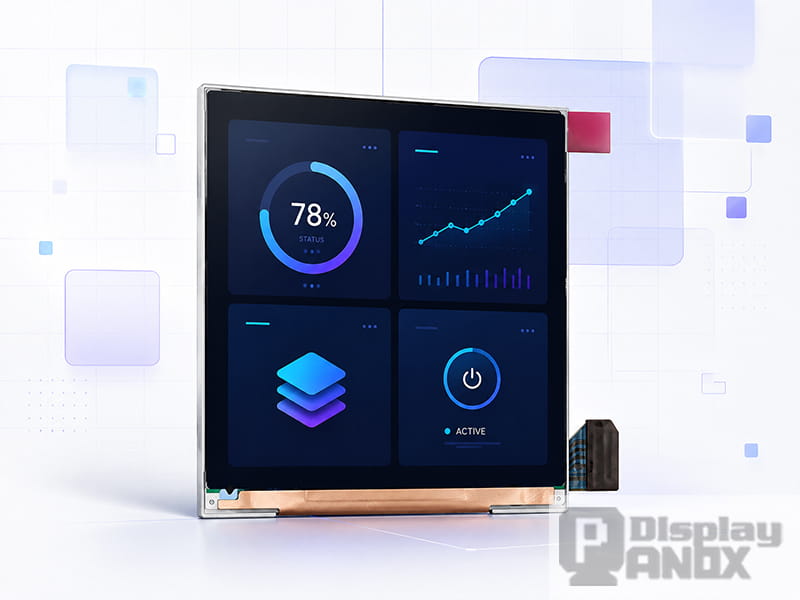
A square screen can be built with different display technologies. The shape describes the aspect ratio; the display technology determines brightness, contrast, response time, power behavior, thickness, lifetime, cost and interface complexity.
Square TFT-LCD
TFT-LCD is widely used in square display panels because it offers mature supply, stable performance, familiar driving methods and good cost control. A square TFT-LCD can be a strong choice for smart home controllers, industrial HMI, medical equipment, handheld devices, gaming accessories and embedded Linux/Raspberry Pi projects.
LCD panels rely on a backlight, so their power consumption is strongly related to backlight brightness. This can be useful when the device needs predictable brightness output, especially in indoor HMI or high-luminance control panels. With the right backlight design, a square LCD can reach high brightness levels for readable UI in bright environments.
Square AMOLED / OLED
AMOLED and OLED square screens are especially attractive for wearable and premium compact devices. Since OLED pixels emit light directly, black areas can appear very deep, and UI elements can feel sharp against a dark background. OLED panels also support fast response and thin module structures, which can be valuable for smartwatches, wearable displays and compact consumer electronics.
The tradeoff is that OLED lifetime and power depend heavily on displayed content. A dark UI with small bright elements is often more suitable than a full-white interface. Product teams should evaluate brightness requirements, expected UI style, always-on behavior, operating temperature and lifetime targets before choosing OLED.
A review in Light: Science & Applications compared LCD and OLED technologies using key metrics including response time, contrast ratio, color gamut, lifetime, power efficiency and flexibility. This is a good reminder that “better” depends on the product scenario. For a square screen, the display shape is only one part of the decision.
Typical Applications of Square Screens
Wearable Devices and Smartwatches
Wearable products benefit from compact and balanced interfaces. A square screen can show time, activity rings, heart rate, weather, notifications and quick settings without forcing everything into a narrow vertical strip. For smartwatches, the square layout also gives designers more predictable corner and edge space for touch targets.
A 1.63 inch AMOLED with 320×320 resolution is a good example of a compact square OLED direction. It supports a 1:1 aspect ratio, 16.7M colors, high contrast and MIPI interface, making it suitable for wearable products where color, black level and thin structure matter.
Smart Home Control Panels
A square screen fits wall-mounted control panels, thermostat interfaces, lighting control systems, air-quality monitors and compact smart home dashboards. The format is naturally friendly to centered icons, room cards, temperature values and circular controls.
A 4.0 inch 480×480 square TFT-LCD is especially relevant for this type of application. With high brightness, RGB interface and a 1:1 format, it can be used in smart home products, medical devices, portable instruments and other embedded systems that need a clear color interface in a small front panel.
Industrial HMI and Instrument Displays
Many industrial interfaces are built around status, values and control states rather than video. A square display can show alarms, sensor readings, mode selection, progress indicators and touch buttons in a clean grid. It also helps when the mechanical front panel is limited, such as on test equipment, charging devices, access-control terminals or compact automation modules.
For industrial use, the decision should focus on operating temperature, brightness, interface, viewing angle, cover glass, touch structure and supply stability. Resolution alone is rarely enough.
VR, Near-Eye and Optical Systems
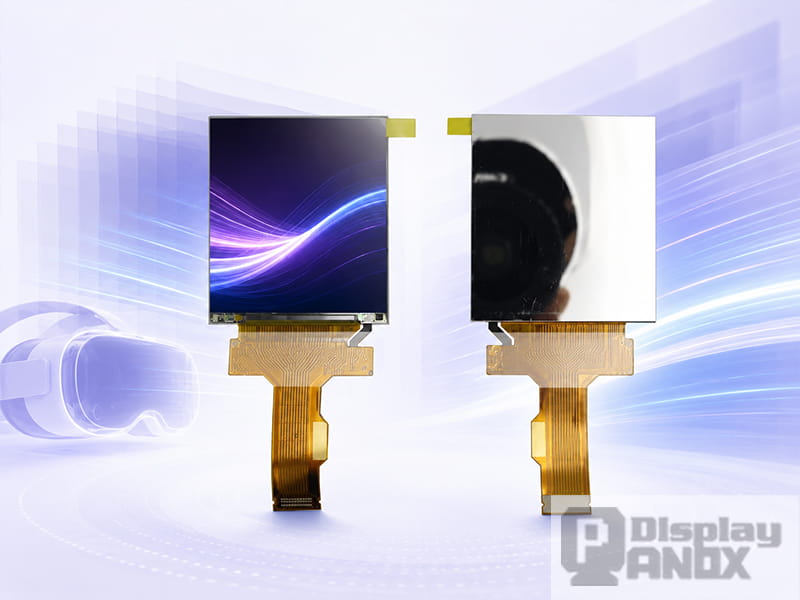
2.9 inch LCD 2K Resolution 90 Hz For VR
Square screens can be valuable in VR and optical modules because the optical path often benefits from a balanced pixel matrix. A 2.9 inch 2160×2160 TFT-LCD, for example, offers a high-resolution square format with 90 Hz refresh rate and MIPI interface. In near-eye systems, pixel density, response time, refresh rate and driving bandwidth become more important than the display size alone.
A square pixel matrix can also simplify content mapping for certain optical designs, because both axes carry the same pixel count. This can be useful when the display is used behind lenses, in test systems or in custom visualization modules.
Handheld Devices, Gaming and Embedded Development
Square LCD screens are also used in handheld controllers, compact gaming devices, diagnostic tools and Raspberry Pi-based prototypes. A 3.1 inch 720×720 TFT-LCD offers higher pixel density than many low-resolution small LCDs, while still keeping the module compact. With MIPI input and controller board support, it can be easier to evaluate in embedded projects.
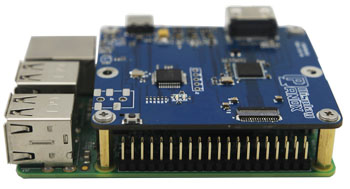
For developers, a controller board or adapter board can save time during early testing. Once the UI, brightness and mechanical structure are validated, the project can move toward a more integrated custom PCB design.
Key Specifications to Check Before Choosing a Square Screen
1. Resolution and Pixel Density
Resolution decides how much information the screen can show. Pixel density decides how sharp that information looks at the intended viewing distance.
A 320×320 AMOLED may be enough for a smartwatch-style UI. A 480×480 LCD can work well for smart home and control panels. A 720×720 display gives more space for richer graphics and detailed icons. A 2160×2160 panel belongs to a very different category, usually linked to VR or near-eye display requirements.
The right resolution depends on the viewing distance and interface style. A square screen with too low a resolution may make text look rough. A very high-resolution screen may increase interface complexity, driver requirements and cost.
2. Brightness and Ambient Readability
Brightness should match the environment. Indoor control panels may work well at moderate luminance. Smart home panels placed near windows may need higher brightness. Outdoor or semi-outdoor devices need extra attention to luminance, cover glass reflection, optical bonding and UI contrast.
For example, a 4.0 inch 480×480 TFT-LCD with 1000 cd/m² typical brightness can be useful when strong readability is required. For wearable OLED products, high contrast and dark UI design can improve perceived readability, but outdoor visibility still depends on brightness, reflectance and cover glass design.
3. Contrast and Black Level
OLED panels usually have excellent black levels because pixels can turn off individually. This makes them suitable for dark UI, premium wearable interfaces and compact devices where visual depth matters.
LCD panels use a backlight, so black level depends on panel mode, backlight design and optical stack. A well-selected TFT-LCD can still deliver strong performance for industrial and control applications, especially when lifetime, brightness stability and cost are priorities.
4. Interface Type
Square screens can use MIPI, RGB, SPI, MCU, LVDS, HDMI through a controller board, or other interfaces depending on size and resolution.
MIPI DSI is common in compact high-resolution displays because it supports high-speed data transmission with relatively low pin count. The MIPI Alliance describes DSI as a high-speed serial interface between a host processor and display module, with advantages in performance, power and EMI control.
RGB interface is still common in many embedded LCD projects. It can be straightforward for certain MCU or Linux platforms, but it uses more signal lines than MIPI. SPI and MCU interfaces are often used for lower-resolution displays. HDMI, Type-C or DP input usually requires a controller board, which can be helpful for PC, Raspberry Pi, media player or test setups.
5. Touch Panel and Cover Glass
A square display panel is only the image source. Many real products also need cover glass, touch panel, optical bonding, anti-glare treatment, logo printing, black border design and mechanical assembly.
For touch products, the designer should check whether the display already has in-cell or on-cell touch. If not, an external capacitive touch panel may be needed. The cover glass shape can be square, rounded-square, oversized, edge-to-edge or customized for the final enclosure.
6. Operating Temperature and Reliability
Wearable products, smart home panels, industrial devices and outdoor instruments face different temperature requirements. A display used in a factory, vehicle-adjacent device or outdoor terminal may need a wider operating temperature range than a consumer indoor product.
Other reliability checks include backlight lifetime, OLED lifetime, image retention risk, bonding reliability, connector durability, ESD design and long-term supply availability.
PanoxDisplay Square Screen Options
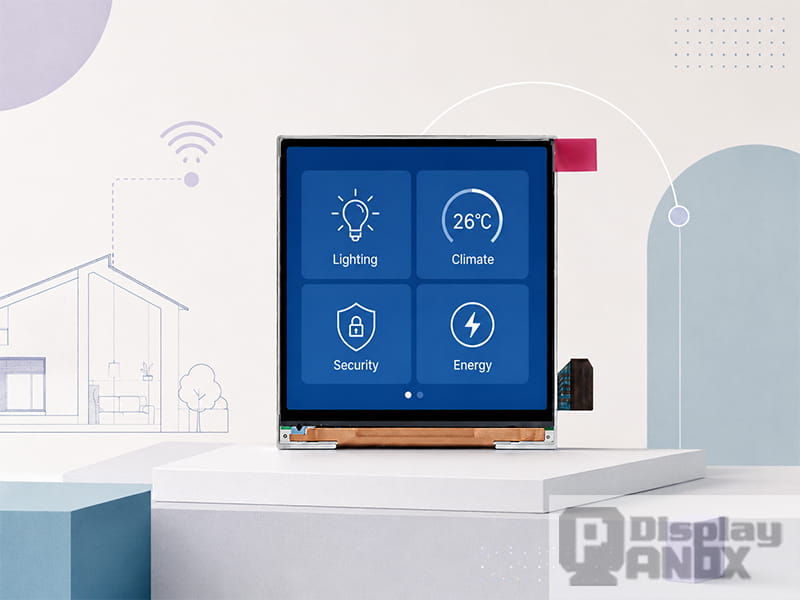
4.0 inch Square LCD Display 480x480 for Smart Home
PanoxDisplay provides several square display panel directions for compact devices, wearable products, VR modules and embedded systems. The following examples show how different square screens serve different design priorities.
| Display Option | Type | Resolution | Interface | Main Direction |
|---|---|---|---|---|
| 1.63 inch square AMOLED | AMOLED / OLED | 320×320 | MIPI | Wearable, smartwatch-style devices |
| 2.9 inch square TFT-LCD | TFT-LCD | 2160×2160 | MIPI | VR, near-eye display, high-PPI systems |
| 3.1 inch square TFT-LCD | TFT-LCD | 720×720 | MIPI | Handheld, gaming, compact embedded display |
| 4.0 inch square TFT-LCD | TFT-LCD | 480×480 | RGB | Smart home, HMI, medical and control panels |
These panels represent different square screen design paths. A wearable device may prioritize AMOLED contrast, thinness and dark UI efficiency. A smart home controller may need LCD brightness, touch customization and stable long-term supply. A VR module may need pixel density, refresh rate and optical compatibility. A handheld device may care more about controller board support and development speed.
How to Design UI for a Square Screen
A square screen should not be treated as a cropped phone display. The UI works best when it is designed around the format from the beginning.
For icon-based interfaces, a 2×2, 3×3 or card-style grid can make the layout feel natural. For dashboards, place the primary value in the center and use the corners for secondary information such as battery, wireless status, mode or warning icons. For touch interfaces, leave enough margin near the edge so that the finger does not cover important text.
Circular gauges also work well on square screens because the format gives equal space around the circle. This is why square displays often appear in thermostats, meters, fitness interfaces and smart control panels.
Text should be used carefully. A square screen can show short labels and values clearly, but long paragraphs quickly become uncomfortable. Use concise copy, clear hierarchy and high contrast. For OLED square screens, a dark UI with limited bright areas may also help power and lifetime management.
Square Screen vs Round Screen
Square and round screens often appear in similar product categories, especially wearable devices. A round display can feel more traditional for watch-like products, while a square display usually gives more usable corner space and easier layout control.
For interfaces with many icons, charts, notifications or text blocks, square screens are often easier to design. For highly decorative watch faces or products that want a classic watch appearance, a round screen may be preferred.
The better choice depends on the product identity and UI content. If the product needs practical information display, touch control and compact dashboards, square is often the safer engineering choice.
How to Choose the Right Square Display Panel
Start with the product scenario rather than the panel size. A smartwatch, smart home panel, VR optical module and industrial controller all need square screens for different reasons.
For wearable devices, check thickness, power behavior, brightness, touch structure and UI style. AMOLED is often attractive when the interface is dark, colorful and premium.
For smart home and industrial HMI, check brightness, operating temperature, RGB or MIPI compatibility, touch panel customization and cover glass design. TFT-LCD can be a practical and stable choice.
For VR and near-eye systems, focus on pixel density, refresh rate, response time, active area, optical compatibility and MIPI bandwidth.
For embedded development, check whether a controller board, adapter board, connector, initialization code or schematic reference is available. These details can shorten bring-up time more than a small difference in display size.
Why Work With PanoxDisplay for Square Display Projects?
Square screens are usually used in products where the display is closely tied to the mechanical design. The panel size, FPC direction, cover glass, touch panel, brightness and interface must fit together from the beginning.
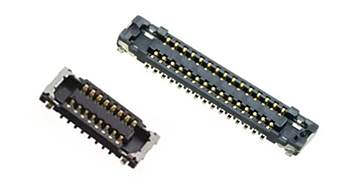
PanoxDisplay provides square LCD and OLED display options for wearables, smart home devices, VR, handheld products and embedded systems. Depending on the project, PanoxDisplay can support display selection, datasheet review, connector supply, adapter board, HDMI/Type-C controller board, customized cover glass and capacitive touch panel development.
For early-stage projects, a ready-to-test module or controller board can help engineers verify the display quickly. For batch production, the display can be matched with a customized touch panel, cover glass and driving solution to fit the final product structure.
Learn more: Square Screen Applications: Where Square Display Panels Are Used
FAQ About Square Screens
What is a square screen?
A square screen is a display with nearly equal width and height, usually using a 1:1 aspect ratio. Common square resolutions include 280×280, 320×320, 480×480, 720×720 and 2160×2160 pixels.
Is a square screen the same as a square display panel?
In most product discussions, yes. However, “screen” often refers to the visible active area, while “display panel” can include the module outline, FPC, driver IC, backlight and connector. Always check the mechanical drawing before designing the enclosure.
Is square LCD or square OLED better?
Square LCD is often suitable for high-brightness, stable and cost-sensitive embedded products. Square OLED is often better for thin wearable devices, dark UI, high contrast and fast response. The final choice depends on brightness, lifetime, power, interface and product design.
Is 480×480 enough for a square screen?
480×480 is suitable for many smart home panels, compact HMI devices and control interfaces. If the product needs very fine text, detailed graphics or near-eye magnification, a higher-resolution square display such as 720×720 or 2160×2160 may be more appropriate.
Can a square screen be used with Raspberry Pi?
Yes, depending on the display interface and driver solution. Some square screens require MIPI or RGB driving, while others can be tested more easily through an HDMI controller board. For fast prototyping, a controller board is often the most convenient path.
Where are square screens commonly used?
Square screens are used in smartwatches, wearable devices, smart home panels, industrial HMI, medical instruments, handheld devices, gaming accessories, VR modules, test equipment and compact embedded systems.