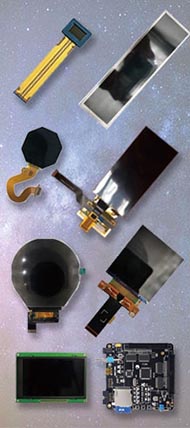




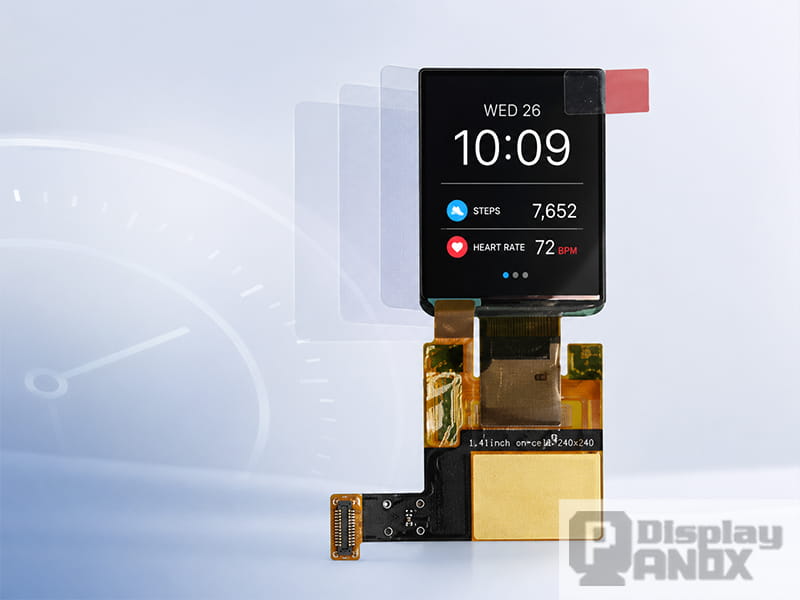
Wearable devices ask a lot from a very small display. A smartwatch, bracelet, compact medical monitor, or wrist-mounted controller needs to show clear information, respond quickly to touch, survive daily handling, and still leave enough internal space for the battery, antenna, sensors, enclosure, and sealing structure. In this kind of product, touch integration is no longer a minor display detail. It affects industrial design, user experience, module thickness, cover glass planning, and even the way engineers build the product prototype.
That is why On-Cell touch has become so valuable for wearable OLED displays. In an On-Cell display, the touch sensor is integrated on the display cell instead of being treated as a separate external touch panel. Synaptics describes On-Cell integration as placing the touch sensor matrix on top of the display cell, and also notes that this structure is often a strong match for AMOLED displays, larger panels, curved displays, and flexible displays.
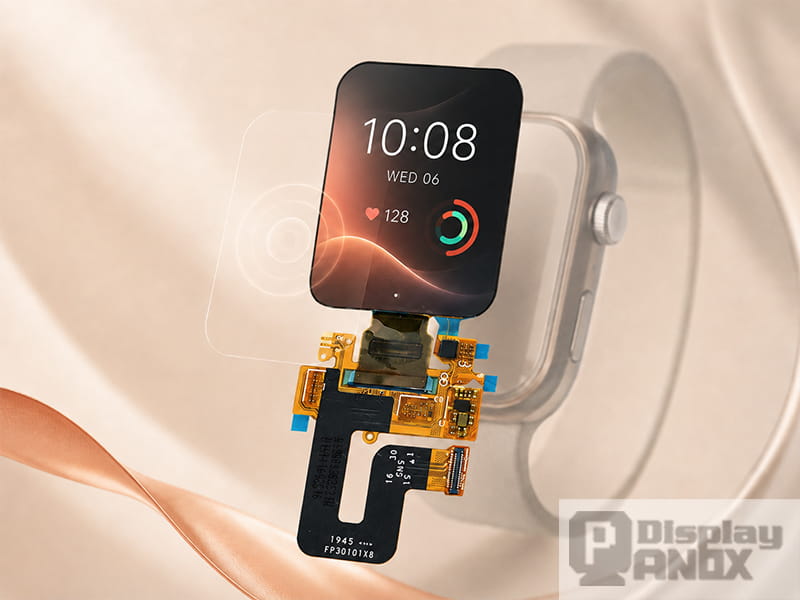
For wearable products, the benefit is direct: On-Cell touch helps keep the display module slim and interactive, while still allowing the product designer to add a customized cover glass or front lens according to the final enclosure design.
1. Wearable Products Have Almost No Space to Waste
A wearable display is constrained by the human body. The device must be small enough to wear comfortably, light enough for long-term use, and efficient enough to support a small battery. Renesas points out that space is a major issue in wearable devices because these products are small and often do not leave much room for multiple physical buttons. The same source also notes that capacitive sensing can improve the user interface, aesthetics, contemporary design, and battery-related design possibilities in wearable applications.
This is especially true for smartwatches. A watch face may only be around 1.2 to 2 inches, yet it has to support time display, health data, notifications, sports modes, settings, calls, and sometimes medical or industrial alerts. Academic work on smartwatch interaction also points to the limited interaction space of small wrist-worn devices, which is why researchers keep exploring ways to expand interaction beyond the tiny screen area.
On-Cell touch helps solve part of this problem at the hardware level. It allows the front surface of the display to become the main input area without requiring a separate external touch panel stack. For a wearable product, that can mean a cleaner housing, fewer mechanical keys, and a more natural interface for taps, swipes, scrolling, and quick gestures.
2. On-Cell Touch Helps Keep the Module Stack Thin
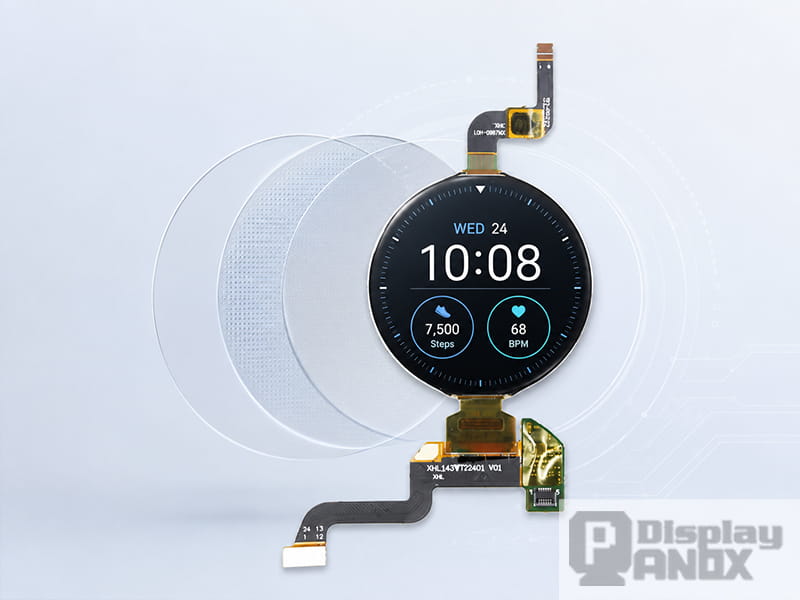
Traditional touch displays often add a separate touch sensor layer above the display. That approach is mature and still useful, but it increases the number of layers in the front stack. Synaptics explains that discrete touch sensor overlays can make the panel stack-up thicker, dimmer, and more expensive, while newer methods integrate touch directly into the display stack.
In a wearable device, even a small increase in thickness can affect the final product. A thicker display stack may require a taller middle frame, a different cover glass structure, a smaller battery, or a heavier watch body. For a fashion-oriented smartwatch, this can make the product feel bulky. For a medical wearable, it can affect comfort and long-term usability. For an industrial wearable, it can make the device harder to seal and protect.
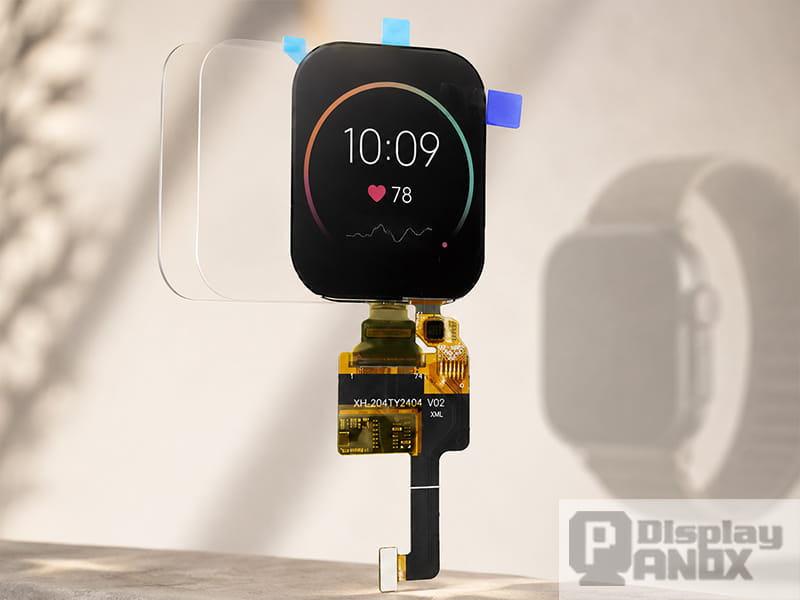
An On-Cell OLED display reduces this pressure because the touch layer is already part of the display module architecture. Panox Display’s product FAQ also explains the practical design difference clearly: if a display already has On-Cell or In-Cell touch, the product usually only needs a cover glass; if it does not, an external touch panel is required.
3. It Supports the Clean Front Design Expected from Modern Wearables
Wearable products are judged visually before users ever open the interface. A smartwatch with a thick front stack, raised edges, or too many mechanical openings can feel outdated. A clean black front, narrow border, smooth cover glass, and responsive touch surface give the product a more finished and premium appearance.
On-Cell touch supports this direction because it keeps the touch function close to the OLED panel while leaving room for cover glass customization. The touch function is already integrated, so the product team can focus on the cover lens shape, edge printing, hard coating, anti-fingerprint treatment, waterproof sealing, and housing fit.
This matters because most wearable products do not use a completely standard front design. A sports watch may need stronger cover glass and wider sealing space. A medical wearable may need a surface that is easy to clean. A fashion bracelet may care more about curved edges and a slim visual profile. On-Cell touch gives engineers a practical starting point: the display and touch are ready as a module, while the final cover glass can still match the product ID.
4. OLED and On-Cell Touch Work Well Together
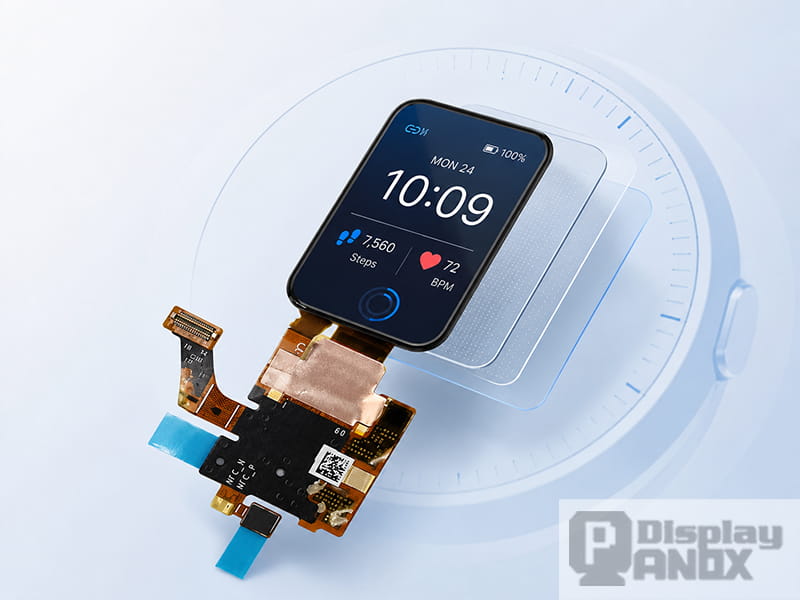
AMOLED is widely used in wearable displays because it is thin, self-emissive, high-contrast, and well suited for dark UI designs. Panox Display’s On-cell product list includes multiple small AMOLED modules for smartwatch and wearable applications, including 1.41-inch, 1.43-inch, 1.47-inch, 1.6-inch, 1.78-inch, and 2.04-inch On-Cell options.
This pairing makes sense. OLED does not require a backlight, which helps reduce module thickness. On-Cell touch adds interaction without forcing the designer back into a thick external touch-panel structure. Together, they support the kind of compact, vivid, high-contrast interface that users expect from modern smartwatches and small wearable devices.
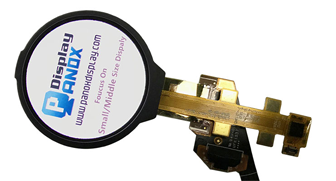
A 1.41-inch On-Cell AMOLED module from Panox Display, for example, offers 320 × 360 resolution, MIPI interface, 350 cd/m² typical luminance, 60 Hz refresh rate, 3.95 g typical mass, and PCAP On-Cell touch through I2C, with wearable and smartwatch applications listed on the product page.
5. Responsive Touch Is Part of the Display Experience
For a wearable product, touch response is part of the user’s first impression. A screen that looks bright but responds slowly feels unfinished. A small display with inaccurate touch can also create frustration because the targets are already tiny. Users may need to swipe through sports modes, tap a notification, confirm a health reading, or adjust a quick setting with one finger while moving.
Projected capacitive touch remains a common choice because it supports smooth gestures and multi-point sensing. Renesas describes projected capacitive touch as a matrix of conductive rows and columns layered between sheets of glass, a structure that enables touch sensing through changes in capacitance.
On-Cell integration does not automatically solve every touch challenge. The touch controller, grounding, FPC routing, firmware tuning, cover glass thickness, and ESD design still matter. The advantage is that the touch sensor is already designed as part of the display module, which gives engineers a more integrated base for product development.
6. It Can Reduce the Need for Mechanical Buttons
A wearable device may still need one or two side buttons for wake-up, sports shortcuts, emergency use, or tactile operation. However, relying too much on mechanical buttons can create design problems. Buttons take internal space, add assembly complexity, introduce sealing challenges, and may limit the visual design of the enclosure.
Capacitive touch gives the product team more freedom. The display can handle most daily interactions, while physical buttons can be reserved for essential functions. Infineon also notes that proximity sensing can be used in a smartwatch as a wake-up method, bringing the display to life when a user’s finger approaches the screen.
This does not mean every wearable should remove all physical controls. A diving watch, industrial wrist terminal, or medical emergency device may still need buttons that can be operated with gloves or under stress. Still, for many consumer and semi-professional wearables, an On-Cell OLED touch screen can reduce dependence on mechanical input and create a smoother front design.
7. It Makes Product Development More Practical
For engineers, choosing a display is rarely just about the screen itself. The real question is whether the module can be driven, tested, fitted into a housing, bonded with a cover glass, and supported through sample and batch production.
This is where On-Cell wearable OLED modules are useful. Panox Display’s 1.78-inch On-Cell AMOLED page lists a 368 × 448 resolution, MIPI/SPI interface, RM69090 driver IC, integrated CTP with TMA525C touch IC, and wearable/medical equipment applications.
The 1.43-inch On-Cell AMOLED option uses a 466 × 466 resolution, Q-SPI signal type, 700 cd/m² typical luminance, 0.745 mm outline thickness, On-Cell touch, and sunlight-readable performance, making it suitable for compact smartwatch-style interfaces.
For a slightly larger wearable or compact portable device, Panox’s 2.04-inch AMOLED On-Cell touch module offers 368 × 448 resolution, 700 cd/m² typical luminance, Q-SPI interface, wide operating temperature, low power consumption, high contrast, and applications including bracelets, smartwatches, medical devices, portable information devices, and electronic locks.
8. Where On-Cell Wearable OLED Displays Fit Best
On-Cell OLED touch screens are most useful when the product needs a compact display with a premium visual interface and direct touch input. They are especially suitable for:
| Product type | Why On-Cell touch matters |
|---|---|
| Smartwatches | Helps create a thin, touch-first interface with fewer front-stack layers. |
| Fitness bracelets | Supports compact UI control without relying on many mechanical keys. |
| Medical wearables | Allows clear visual feedback and quick touch interaction in a small form factor. |
| Portable monitors and handheld terminals | Combines OLED image quality with integrated touch for compact control surfaces. |
| Smart home controllers | Supports bright, colorful, touch-based UI in a small front panel. |
| Industrial wrist or handheld devices | Helps balance touch input, module thickness, and enclosure design. |
The key is matching the display to the real use case. A fashion smartwatch may prioritize thinness, round/square shape, high contrast, and cover glass design. A medical wearable may care more about reliability, readability, cleaning resistance, and long-term supply. A handheld industrial device may need a larger On-Cell OLED with sunlight readability, MIPI interface, and controller board support.
9. Product Examples from Panox Display
| Module | Key features | Suitable direction |
|---|---|---|
| 1.41-inch OLED On-Cell PCAP TP | 320 × 360, MIPI, 350 cd/m², 60 Hz, PCAP On-Cell I2C, wearable/smartwatch use | Compact smartwatch and wrist UI |
| 1.43-inch AM-OLED On-Cell PCAP Touch | 466 × 466, Q-SPI, 700 cd/m², 0.745 mm outline thickness, On-Cell touch | High-resolution smartwatch or premium small UI |
| 1.6-inch OLED On-Cell Touch | 320 × 360, 300 PPI, SPI/MIPI, 500 cd/m², DCI-P3 and sRGB, wearable use | Wearable screen with stronger brightness needs |
| 1.78-inch OLED On-Cell PCAP TP | 368 × 448, MIPI/SPI, integrated CTP with TMA525C touch IC | Smartwatch and medical wearable interface |
| 2.04-inch AMOLED On-Cell Touch | 368 × 448, Q-SPI, 700 cd/m², wide operating temperature, wearable and portable device use | Larger wearable, PDA-style compact device, medical or control interface |
Panox Display’s broader On-cell category also includes mobile and larger OLED touch modules, such as a 5.0-inch AMOLED On-Cell touch display for mobile phones and handheld equipment, as well as a 10.5-inch 2560 × 1600 AMOLED with integrated On-Cell PCAP touch for tablets, industrial machines, navigation, and turnkey solutions.
10. How to Choose an On-Cell OLED Display for a Wearable Product
A good selection process starts with the physical product, not the display catalog. The product team should first decide the screen shape, target thickness, UI style, operating temperature, brightness requirement, expected cover glass, and whether the device will be used indoors, outdoors, during exercise, or in medical/industrial environments.
For the display itself, the most important parameters usually include size, resolution, brightness, interface, touch IC, cover glass plan, FPC position, operating temperature, and supply stability. For a smartwatch, 1.3 to 2.0 inches is common. For a compact controller or medical handheld, a larger OLED touch display may make more sense. For a product that needs a vivid UI and dark-mode interface, AMOLED can be a strong choice.
The cover glass should be planned early. Even when On-Cell touch is already integrated, the final cover lens can change the touch experience. Glass thickness, ink border, bonding method, coating, enclosure pressure, and grounding strategy can all affect touch performance. This is why it is better to confirm the display module, cover glass, touch tuning, and mechanical stack together before starting enclosure tooling.
Conclusion
On-Cell touch is important for wearable OLED displays because it supports the exact qualities wearable products need most: thin structure, clean front design, responsive interaction, compact integration, and flexible cover glass planning. It allows the display to act as both the visual output and the main input surface without forcing the product team to build around a separate external touch panel.
For smartwatches, bracelets, medical wearables, compact controllers, and other small interactive devices, this can make the difference between a product that feels like a finished consumer device and one that feels like a rough hardware prototype.
Panox Display offers a range of On-Cell AMOLED and OLED touch modules for wearable and compact product development, including 1.41-inch, 1.43-inch, 1.6-inch, 1.78-inch, 2.04-inch, 5.0-inch, and larger OLED options. For new projects, the best approach is to define the product form factor first, then match the display size, interface, touch structure, cover glass, and controller support around the real application.
Learn more: What Is an On-Cell Display? Touch Integration, Benefits, and Selection Guide
FAQs:
Is On-Cell touch better than an external touch panel for wearables?
For many wearable OLED products, On-Cell touch is more suitable because it keeps the module stack thinner and reduces the need for a separate touch panel. External touch panels are still useful when a project needs a special touch structure, unusual cover design, or a display panel without integrated touch.
Does an On-Cell OLED display still need cover glass?
Yes. On-Cell touch means the touch sensor is integrated with the display cell, but the final product still needs a cover glass or cover lens. The cover glass protects the display, defines the front appearance, and supports sealing, coating, and brand-specific industrial design.
Is On-Cell touch suitable for medical wearables?
Yes, if the module, cover glass, touch tuning, and enclosure are designed for the target environment. For medical wearables, designers should pay attention to cleaning resistance, operating temperature, brightness, touch accuracy, ESD protection, and long-term supply stability.
Can On-Cell OLED displays be used outdoors?
They can be used outdoors when brightness, contrast, cover glass reflectance, optical bonding, and UI design are handled properly. Several Panox On-Cell OLED products are described as sunlight readable or readable under the sun, but the final device should still be tested under real lighting conditions.
What should be confirmed before ordering samples?
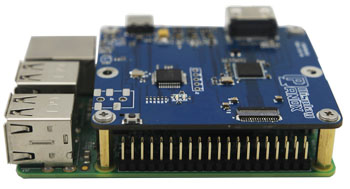
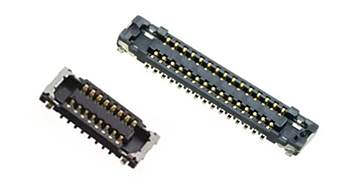
Before ordering samples, confirm the size, resolution, interface, touch interface, driver IC, touch IC, connector, FPC direction, operating temperature, cover glass requirements, and whether a demo board or controller board is available for testing.