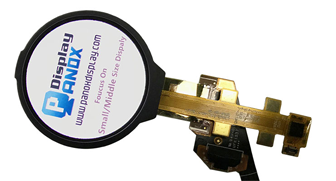







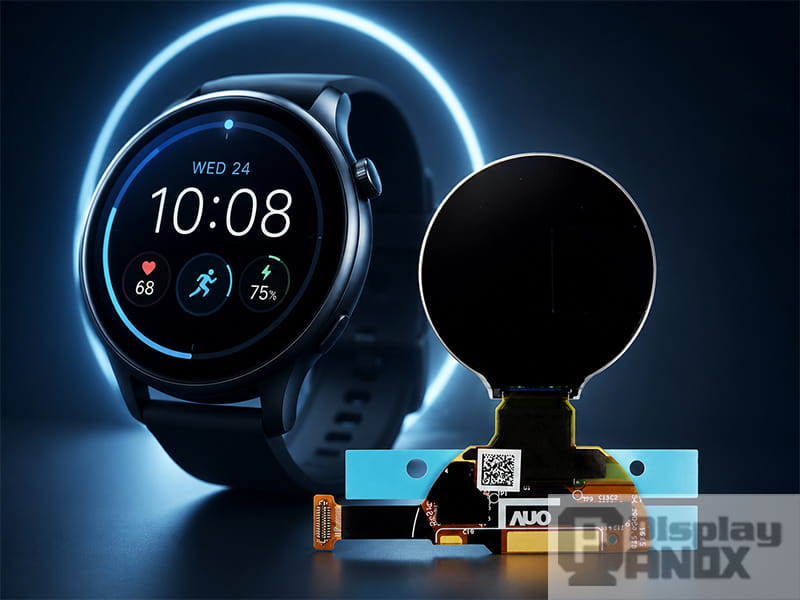
1.2 inch Round/Circular OLED For Wearable Smartwatch
A smartwatch may look simple from the outside, but the user experience depends heavily on one component: the wearable display screen. It is the part users look at first, touch most often and judge almost instantly. If the display is too dim outdoors, too power-hungry, too thick, slow to respond or poorly matched to the device shape, even a well-designed wearable product can feel unfinished.
For product developers, a wearable display screen is more than a visual part. It affects battery life, mechanical structure, touch design, firmware behavior, interface selection, cover glass, optical bonding and long-term reliability. In compact devices such as smartwatches, fitness bands, medical wearables and outdoor sports devices, the display is often one of the most important engineering decisions.
This is why choosing a wearable display panel should happen early in the project. The screen influences the product form, and the product form also limits what kind of screen can be used.
1. The Display Defines the First User Impression
The display is the face of a wearable device. Before users compare sensors, battery capacity or app functions, they usually notice the screen: whether the image looks sharp, whether black areas are clean, whether the watch face feels premium, and whether text is easy to read at a glance.
AMOLED has become popular in smartwatches because it provides self-emissive pixels, high contrast, vivid color and a thin module structure. A recent technical paper on ultra-low-power AMOLED displays notes that smart wearable products such as watches and bracelets are increasingly adopting AMOLED technology, while also facing strict requirements for power consumption and standby time.
This matters because modern smartwatch interfaces are no longer limited to time and steps. They may show health data, workout charts, message previews, maps, icons, animations and always-on watch faces. A display with poor contrast or low pixel density makes all of that feel weaker. A better display gives the same software interface more clarity and perceived value.
For a brand, that first impression can directly affect whether the product feels like a basic gadget or a serious wearable device.
2. Battery Life Starts With Display Power
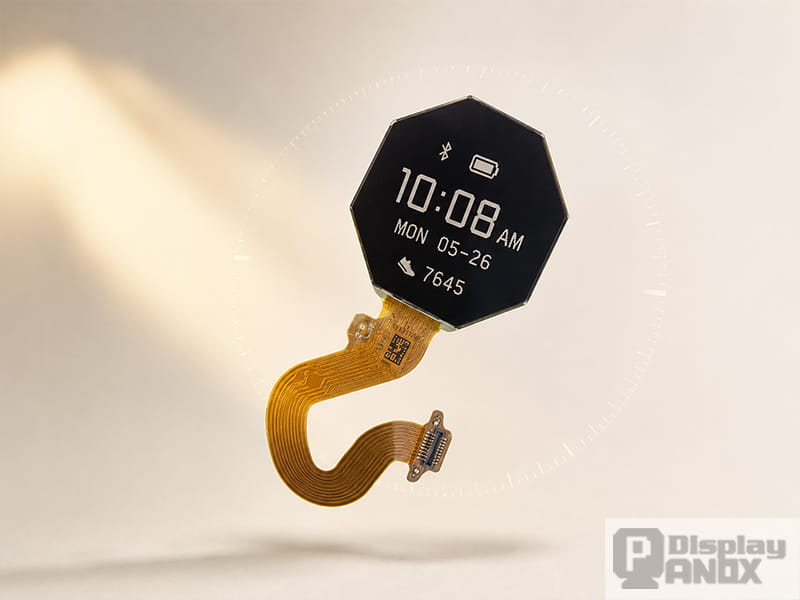
1.2 inch Memory LCD Colorful/Chromatic For Smartwatch
Battery space in a smartwatch is limited. The device needs to leave room for sensors, vibration motors, wireless modules, speakers, microphones, antennas, buttons and the mainboard. The display has to share power with everything else.
The same AMOLED paper explains that smart wearable products are worn for long periods but actively operated only for short periods. It also describes the display as one of the major power-consuming components in smart wearables, especially because the battery capacity is physically limited by the small product size.
This is why display power cannot be treated as a small detail. The display may work in several states during a normal day:
Normal active mode when the user raises the wrist or touches the screen.
High-brightness mode under strong ambient light.
Low-power always-on mode for clock and basic information.
Sleep or standby mode when the screen is mostly inactive.
Each state has a different power profile. A smartwatch with a colorful AMOLED display can look excellent in active mode, but the UI, brightness strategy and refresh behavior must be carefully managed. Dark watch faces, reduced idle brightness, partial updates, lower refresh behavior and efficient driver IC settings can all help reduce power.
Display makers are also working on this problem at the panel level. LG Display describes its smartwatch OLED as using advanced LTPO technology to reduce power consumption while maintaining high resolution, and highlights wide viewing angle as another key watch-display feature.
For product teams, the lesson is clear: battery life is not decided by battery capacity alone. The wearable display screen is one of the main reasons a smartwatch can feel efficient, or frustratingly short-lived.
3. Outdoor Readability Can Make or Break the Product
Wearable devices are used in unstable environments. A user may check the time indoors, read a message while walking outside, track a run under sunlight, or glance at navigation data while cycling. The display has to remain readable in all these situations.
Outdoor readability depends on more than brightness. Peak luminance helps, but real visibility also depends on reflectance, contrast, viewing angle, cover glass, bonding, UI colors and ambient light conditions. Apple’s current smartwatch specifications show how important these factors have become in mainstream wearable design: Apple Watch Series 11 lists an Always-On Retina display with wide-angle OLEDs, LTPO3, up to 2000 nits peak brightness, 1 nit minimum brightness and 326 pixels per inch.
This kind of specification reflects the direction of the market. Users expect the watch to be readable at low brightness in dark conditions and clear enough under bright sunlight. A screen that works only in a controlled indoor environment will limit the whole product.
Memory LCD and transflective LCD technologies are useful in some outdoor and long-standby devices. Sharp explains that Memory LCD embeds a one-bit memory circuit into every pixel, allowing retained image information and ultra-low-power operation. Sharp also states that Memory LCD can deliver reflective display performance without a backlight and can be viewable from low light to bright sunlight depending on the model.
This does not mean every smartwatch should use Memory LCD. AMOLED is often better for premium color UI, rich graphics and modern smartwatch interaction. Memory LCD or transflective LCD can be attractive for long-duration outdoor products, industrial wearables, meters and sports devices where always-visible information is more important than colorful animation.
The key point is simple: a wearable display screen must be selected for the environment where the product will actually be used.
4. Touch Integration Affects Thickness and Product Feel
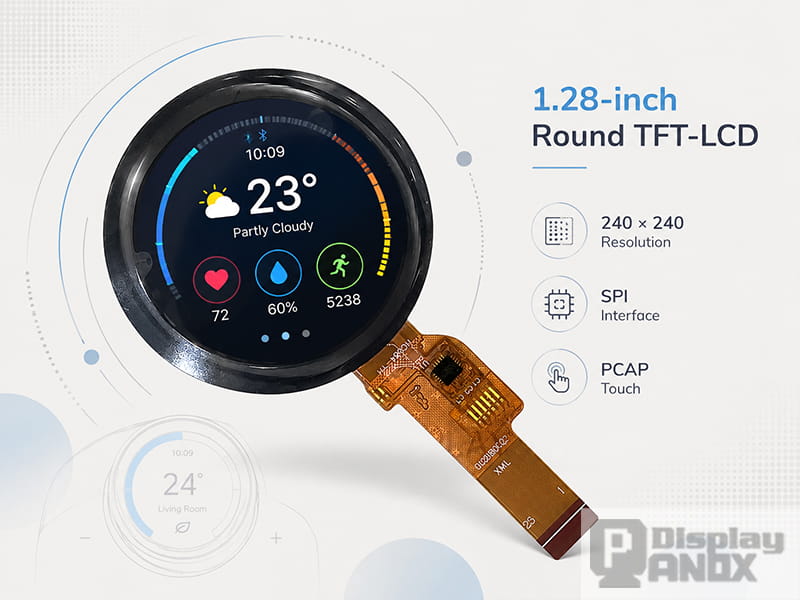
1.28 inch Round LCD TFT 240X240 SPI 55Hz PCAP Touch Panel
Most modern smartwatches need touch interaction. However, touch design is not just a matter of adding a touch panel above the display. In a small wearable device, every layer changes thickness, weight, optical clarity and assembly complexity.
On-cell touch and in-cell touch structures help reduce the module stack by integrating capacitive touch closer to the display layer. This is valuable in smartwatch and bracelet products because a thinner display module can make the whole device more comfortable and more elegant.
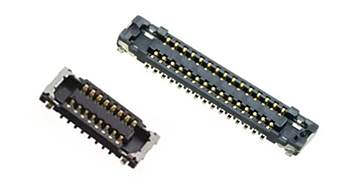
Panox Display’s wearable category focuses on low power consumption, outdoor readability and compact form factors across circular, square and strip-type wearable displays, including AMOLED, PMOLED and transflective LCD options. The category also highlights support for cover glass, touch panels, connectors and controller or driver boards, which are all important when moving from a sample display to a real product design.
For example, Panox Display’s 1.47-inch AM-OLED module uses an integrated on-cell capacitive touchscreen, Q-SPI interface, high luminance and a compact active area for wearable devices. Another 1.6-inch on-cell AM-OLED panel is listed as a self-emissive touch display with MIPI/SPI support, wearable application and 500 cd/m² luminance.
For engineers, integrated touch can simplify the structure, but it still needs careful planning. Cover glass shape, sensor routing, bonding method, touch IC, firmware tuning and waterproof design all affect the final result. A good wearable display panel should support the mechanical and electrical design, not fight against it.
5. Shape and Size Influence the Whole Interface
A wearable display screen has to match the product identity. Round screens feel more like traditional watches. Square and rounded-rectangle screens can show more text and structured information. Strip-type displays are suitable for bracelets and narrow fitness devices. Flexible OLED can support softer, curved or unconventional product concepts.
This affects UI design directly. A round display may be visually elegant, but it needs careful layout around the circular boundary. A square display is efficient for icons, cards and data blocks. A strip display works well for steps, heart rate, simple notifications and battery indicators, but it is less suitable for complex maps or long messages.
Panox Display’s wearable page lists wearable displays in circular, square and strip-type form factors, with AMOLED, PMOLED and transflective LCD technologies for smartwatches and fitness trackers. The product range also includes flexible AMOLED and PMOLED options for wearable and bracelet designs, such as a 1.5-inch flexible AMOLED module using LTPS-AMOLED technology with SPI/MIPI interface for wearable smart bracelets.
Shape should be chosen together with the user interface. If the product needs rich app screens, notifications and charts, the display area should support that. If the product is a lightweight bracelet, a narrow and efficient display may feel more natural.
A display that looks good in a product list may still be wrong for the final device if the UI and mechanical design do not fit the panel shape.
6. Visual Quality Supports Health, Fitness and Notification Use
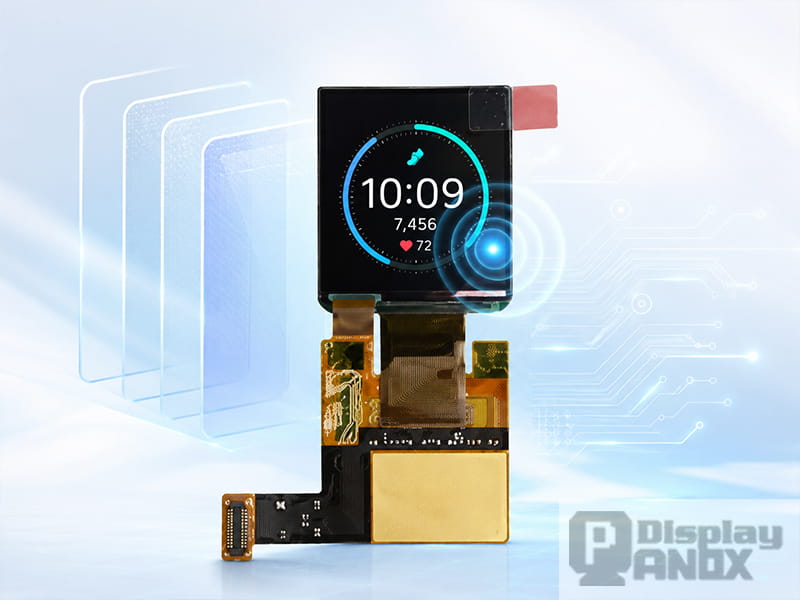
1.41 inch OLED On-cell PACP TP For Wearable Smartwatch
Smartwatch displays carry information that users read quickly. Time, heart rate, step count, sleep data, workout zones, battery level and message previews are often checked in one or two seconds. This creates a different design requirement from phones or tablets.
The wearable display screen has to make small text, icons and numbers readable at a glance. High contrast, stable viewing angle, suitable brightness and clean pixel rendering all matter. A watch display may be viewed from the side while the user is moving, so readability at an angle is especially important.
LG Display promotes wide viewing angle as a key feature for smartwatch OLED, stating that the screen remains clear when viewed from different directions. Apple also emphasizes wide-angle OLED technology in its current watch display specifications, showing that off-axis readability is becoming a mainstream design priority.
For health and fitness products, this is more than a visual upgrade. If a runner cannot read pace and heart rate clearly, the display has failed in a practical sense. If an elderly user cannot read reminders or health alerts, the device becomes less useful. If a medical wearable shows numbers with poor contrast, the product feels less trustworthy.
Good display quality helps the user understand the device faster. That is one of the most important jobs of a wearable display screen.
7. Reliability Matters Because Wearables Are Always Exposed
Wearable devices face sweat, skin contact, water, dust, impact, temperature changes and frequent daily handling. A display panel for a smartwatch or bracelet has to survive more than a clean lab test.
The display module may need wide operating temperature, stable brightness, reliable FPC bonding, strong cover glass, good sealing design and careful protection around the connector. For outdoor sports, diving computers, industrial badges, portable meters and medical devices, these details become even more important.
Panox Display’s wearable page describes target applications including consumer and sports wearables, medical instrumentation, extreme environment gear, industrial devices and IoT devices. It also highlights the importance of compact form factor, readability and stable support for wearable projects.
Individual product pages show why these parameters matter. Panox Display’s 1.63-inch OLED module lists 300 cd/m² brightness, high contrast, wide viewing angle, fast response time, 16.7M colors and self-emissive structure, along with notes such as thin form factor, low power consumption, readable under sun and wide temperature operation.
For purchasing and engineering teams, reliability should be considered before mass production. The right question is not only “Can this display turn on?” A better question is “Can this display keep working in the actual product environment, with the actual cover glass, actual firmware and actual user behavior?”
8. The Display Also Affects Development Speed
A display panel may look suitable on paper, but development can slow down if the interface, documentation or support is incomplete. Wearable products often have tight schedules, and display bring-up can become a bottleneck if the team lacks initialization code, connector support, schematic guidance or demo tools.
This is why display selection should include practical integration factors:
Does the display use SPI, QSPI, MIPI, RGB or another interface?
Can the main processor support the resolution and refresh requirement?
Is the driver IC documentation available?
Can the supplier provide FPC drawing, datasheet and initialization support?
Does the project need a customized cover glass or touch panel?
Is a demo kit or adapter board available for early testing?
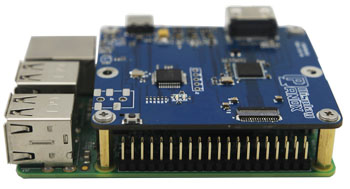
Panox Display states that it can support wearable projects with connectors, customized cover glass and touch panels, and controller or driver boards with inputs such as HDMI, Type-C, MIPI, RGB, LVDS and eDP depending on the application.
For a real product team, this support can save time. A technically good panel becomes much more useful when it comes with the right documentation and integration path.
9. How to Choose a Wearable Display Screen for a Smartwatch Project
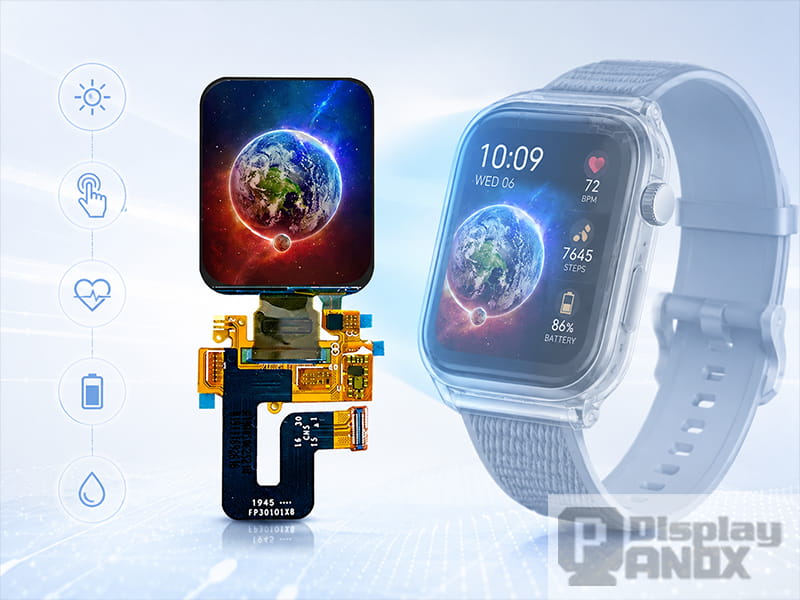
1.78 inch OLED On-cell PACP TP For Wearable Smart Watch
A good wearable display decision starts with the product, not the panel list. Before choosing a screen, define how the device will be used.
For a premium smartwatch, AMOLED is usually a strong choice because it supports vivid color, high contrast, smooth UI and a modern visual appearance. On-cell touch can help reduce thickness and improve integration.
For a fitness band or bracelet, a compact AMOLED, PMOLED or flexible PMOLED can work well, especially when the interface focuses on simple data and long battery life.
For outdoor sports and industrial wearables, sunlight readability and long-standby behavior may matter more than rich color. Memory LCD or transflective LCD should be evaluated when always-visible data is a priority.
For medical or professional devices, stable supply, reliability, operating temperature and clear readability may matter more than a fashionable look.
For curved or design-led wearable concepts, flexible OLED can help create a more distinctive product structure, as long as the bending radius, cover material and bonding method are planned carefully.
The best wearable display screen is the one that fits the product’s real usage, power target, mechanical design and supply plan.
10. Panox Display Wearable Display Screen Options
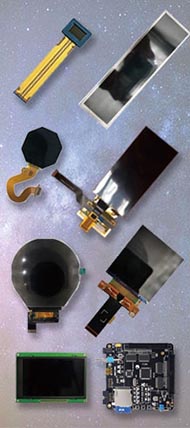
Panox Display supplies wearable display panels for smartwatches, smart bracelets, sports wearables, medical wearables and compact smart devices. The wearable display portfolio includes AMOLED, PMOLED, transflective LCD and flexible display options, with circular, square and strip-type form factors for different product directions.
For high-quality smartwatch UI, Panox Display offers AMOLED and on-cell touch display modules with vivid color, high contrast and compact integration. For bracelet-style products, narrow OLED or PMOLED panels can support lightweight data display. For outdoor and long-standby products, transflective LCD and Memory LCD directions can help improve visibility and power efficiency. For special industrial designs, flexible OLED and flexible PMOLED options can support curved or slim wearable concepts.
Panox Display can also help with related integration needs, including cover glass, touch panel customization, connectors, controller boards and display testing support. This makes the wearable display screen easier to evaluate during prototype development and easier to move toward mass production.
Conclusion
The wearable display screen is important because it sits at the center of the smartwatch experience. It controls how the product looks, how long it lasts on battery, how readable it is outdoors, how comfortable it feels, how fast users can understand information and how smoothly the engineering team can build the final device.
A smartwatch display is a small component with large consequences. Choosing it only by size or resolution can lead to power, readability, touch, mechanical or supply problems later. A better approach is to evaluate the display as part of the full product system.
For teams developing smartwatches, fitness bands, health wearables, outdoor devices or industrial wrist-worn products, the right wearable display panel should balance visual quality, low power consumption, sunlight readability, touch integration, form factor and long-term reliability. Panox Display provides wearable display options and technical support to help engineers choose a screen that fits the real application, not just the spec table.
Learn more: What Is a Wearable Display Screen? A Practical Guide for Smartwatch and Wearable Devices
FAQs:
Why is the wearable display screen important in a smartwatch?
The wearable display screen affects the user’s first impression, battery life, outdoor readability, touch experience, device thickness, UI layout and long-term reliability. It is one of the most important components in smartwatch design.
Does AMOLED improve smartwatch display quality?
AMOLED can improve smartwatch display quality because it offers self-emissive pixels, high contrast, vivid color, fast response and thin module structure. It is especially suitable for full-color watch faces, notifications, health data and premium wearable interfaces.
Why does display power consumption matter so much for wearables?
Wearables have limited battery space. Since the display is often one of the major power-consuming components, display brightness, refresh strategy, UI color and standby behavior can strongly affect battery life.
Which display is better for outdoor wearable devices?
It depends on the product. High-brightness AMOLED can work well for rich smartwatch interfaces, while Memory LCD or transflective LCD can be suitable for always-visible outdoor data and long-standby devices.
Is on-cell touch useful for smartwatch display panels?
Yes. On-cell touch helps integrate the touch function closer to the display layer, which can reduce module thickness and simplify compact wearable design. It is useful for smartwatches and bracelets where space is limited.
Can Panox Display support custom wearable display projects?
Yes. Panox Display supplies wearable display panels and can support related integration needs such as cover glass, touch panel customization, connectors, demo kits and controller or driver board solutions for development and batch projects.