



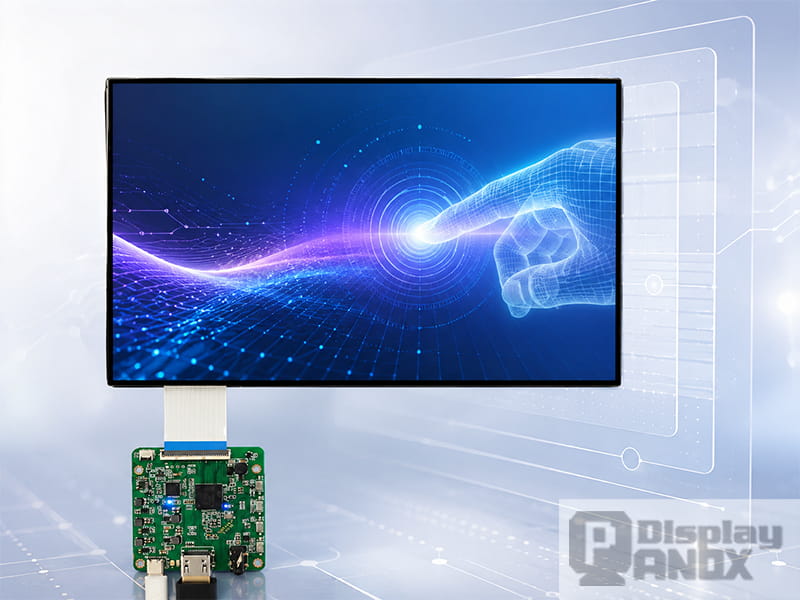
Touch has become part of the display experience itself. In smartphones, watches, medical handhelds, vehicle panels, and portable industrial terminals, the screen is expected to show crisp images and respond instantly to fingers, gestures, and sometimes a stylus. That expectation has pushed display makers to integrate the touch sensor closer to the display panel instead of treating it as a separate add-on layer.
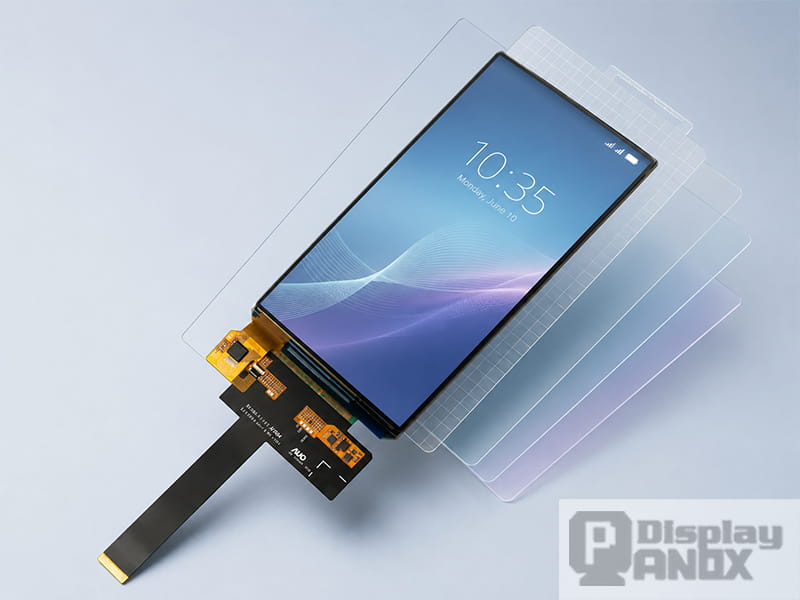
An On-Cell display is one of the most widely used ways to achieve that integration. It places the projected capacitive touch sensor on the display cell, usually above the main image-generating structure and below the cover lens or polarizer depending on the panel type. In an LCD structure, On-Cell integration is often described as a sensor matrix located on top of the color-filter glass; Panox Display’s On-cell tag page also describes the touch layer as being placed between the color filter substrate and the polarizer. In AMOLED/OLED displays, research has shown capacitive touch sensors integrated on thin-film-encapsulated AMOLED platforms for ultrathin display modules.
For product teams, the value is practical: an On-Cell display can reduce module thickness, simplify the front-stack design, and keep touch functionality close to the display without requiring a fully separate external touch panel. It is especially common in AMOLED modules for wearables, mobile devices, flexible displays, and other compact interactive products.
How Does an On-Cell Touch Display Work?
Most On-Cell touch displays use projected capacitive touch, often shortened to PCAP. A PCAP touch sensor uses transparent conductive electrodes arranged as rows and columns. When a voltage is applied, an electric field forms across the grid. A finger changes the capacitance near the touch point, and the touch controller converts that change into coordinates. Renesas explains that projected capacitive touch panels measure capacitance changes at the electrode grid, and mutual-capacitance systems can track individual intersections to support multiple touch points in one scan.
That basic sensing principle is similar whether the sensor is built as a separate GFF touch panel, placed on the cover lens, integrated on the display cell, or embedded inside the display cell. What changes is the position of the electrodes in the stack and the way the display driver, touch controller, cover glass, and mechanical structure are designed around them.
In an On-Cell AMOLED module, the touch electrodes are typically built above the display’s active layers and connected to a touch controller through FPC routing. This is why many On-Cell OLED modules still show a dedicated touch interface or touch FPC. The display signal may go through MIPI, SPI, QSPI, or eDP, while touch data is often handled separately through an I2C-type interface depending on the module design.
On-Cell vs. In-Cell vs. External Touch Panels
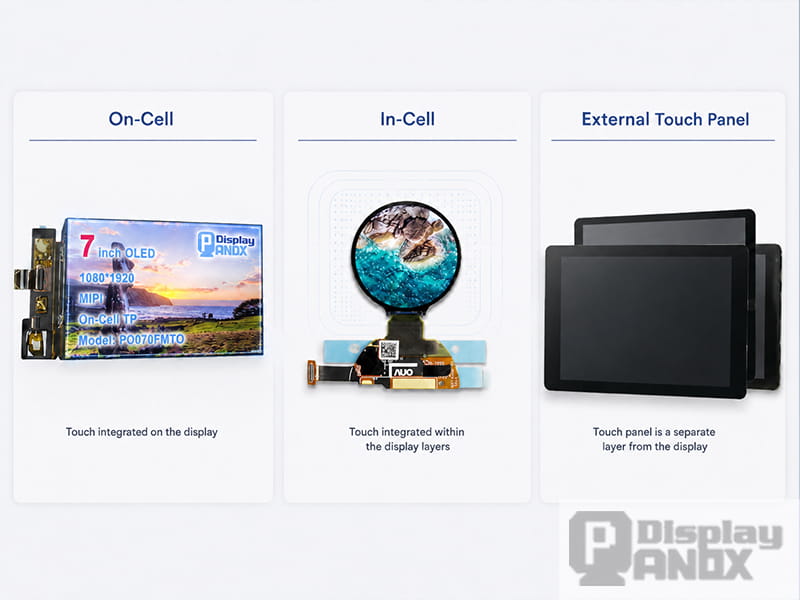
The industry usually compares touch technologies by where the sensor is placed in the display stack. Synaptics describes traditional discrete touch designs as separate sensor overlays placed above the display, while newer integration methods place the sensor directly on or inside the display cell. In its white paper, On-Cell is defined as placing the touch sensor matrix on top of the color-filter glass, while In-Cell places transmit and receive touch functions inside the cell structure.
| Touch structure | Sensor position | Typical strengths | Design notes |
|---|---|---|---|
| External GFF/GF touch | Separate film or glass touch layer above the display | Mature supply chain, flexible customization | Adds thickness, lamination steps, and more optical interfaces |
| OGS / Sensor-on-Lens | Touch sensor on the cover glass | Reduces one sensor layer, clean front structure | Cover glass design becomes tightly linked to touch design |
| On-Cell | Touch sensor built on the display cell | Slimmer than many external touch stacks, good optical path, practical manufacturing | Often uses a separate touch controller/FPC; cover glass is still customized |
| In-Cell | Touch function embedded inside the display cell | Very thin structure, strong integration potential | Higher design complexity; display noise and touch timing require careful control |
In-Cell can offer the thinnest architecture in some mobile designs, especially when touch and display driver integration is used. However, On-Cell remains attractive because it offers a strong balance between integration, manufacturability, optical performance, and product availability. For many development projects, especially small-to-medium OLED and AMOLED modules, On-Cell is easier to evaluate and source.
Why Engineers Choose On-Cell Displays
A thinner, cleaner display stack
Traditional touch modules add another functional layer above the display. That extra stack can increase thickness, add optical interfaces, and complicate bonding. Synaptics notes that discrete touch overlays are proven and low-risk, but they can make the panel stack-up thicker, dimmer, and more expensive. Moving touch into the display stack reduces the number of separate layers and supports slimmer product designs.
For OLED and AMOLED modules, this is especially useful. OLED displays already have advantages such as self-emission, high contrast, fast response, and no backlight. Adding On-Cell touch helps preserve the slim feel of the module while making the display ready for interactive devices.
Better fit for compact products
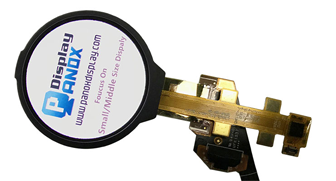
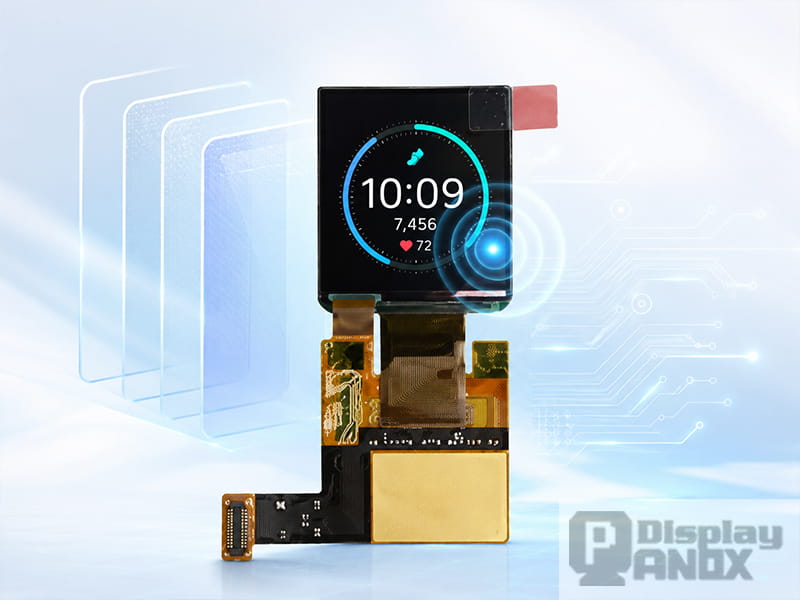
Wearables and handheld devices rarely have space for a thick display assembly. A smartwatch, bracelet, scanner, remote controller, or small medical interface must fit the display, touch input, battery, housing, sealing structure, and antenna into a very small volume. Panox Display’s On-cell product list includes compact AMOLED modules from 0.95 inch to around 2 inches for wearable and smartwatch applications, along with 5-inch-class mobile OLED modules and larger flexible OLED options.
For a small round or square AMOLED, On-Cell touch can help avoid the need to design a separate touch panel from the beginning. The developer still needs to plan the cover glass, firmware, touch interface, waterproofing, and mechanical bonding, but the core touch-sensing layer is already integrated into the display module.
Strong match with AMOLED and flexible OLED
AMOLED displays are a natural home for On-Cell touch because they are thin, self-emissive, and widely used in premium portable devices. Academic work on touch sensors integrated with thin-film-encapsulated AMOLEDs has shown ultrathin display platforms using capacitive touch sensors, with the prototype OLED platform reaching 1.2 mm overall thickness in the cited study.
Flexible OLED introduces another layer of engineering. The touch electrode material must maintain electrical performance, optical transparency, and mechanical reliability under bending. A 2022 Journal of Information Display paper studied ITO thin films for On-Cell touch sensors in foldable OLED displays and reported that optimized ITO films could survive high-temperature/high-humidity bending preservation and repeated bending tests, supporting their use in foldable OLED touch sensors.
Practical cover glass and controller-board development
An On-Cell display still needs a finished front design. The sensor is integrated, but the final product may require cover glass, optical bonding, anti-glare treatment, hard coating, waterproof sealing, ESD protection, and a housing structure that does not interfere with the touch field.
Panox Display’s product pages repeatedly remind developers to check whether a display has On-Cell or In-Cell touch; when integrated touch is already present, the project generally needs cover glass instead of a separate external touch panel. Panox also provides customized cover glass/touch panel service and controller/driver board support, including HDMI, Type-C, MIPI, RGB, LVDS, eDP and other input options for development or product integration.
Engineering Points to Check Before Choosing an On-Cell Display
Touch noise and display timing
When the touch sensor sits close to the display electrodes, electrical noise must be managed carefully. This becomes more important in high-refresh-rate AMOLED panels. A 2021 Micromachines paper on 120 Hz AMOLED panels explains that high-refresh-rate operation can amplify display noise on touch screen panel electrodes, reducing the signal-to-noise ratio unless touch and display driving are synchronized.
For most product teams, this means the display module should be evaluated as a complete system. Do not check only resolution and brightness. Confirm the touch IC, FPC pinout, grounding strategy, firmware support, glove/wet-touch requirements, ESD target, and test environment.
Cover glass thickness and surface treatment
On-Cell touch does not remove the need for cover glass. It simply changes the touch stack. Cover glass thickness, ink border, hard coating, anti-glare coating, optical adhesive, curved edges, and housing materials can all affect touch performance. For outdoor devices, brightness and reflectance matter as much as raw resolution. For medical or industrial products, surface durability and cleaning resistance may become more important than ultra-thin design.
Flexible and foldable reliability
For flexible OLED projects, “flexible” should be defined in real mechanical terms: bending radius, fold direction, number of cycles, whether the display bends while powered, and whether the cover lens is rigid or flexible. Panox’s 13.3-inch flexible OLED touch screen page, for example, describes a 3R curvature radius, 50,000+ folds, 0.53 mm thickness without PCB, eDP interface, and integrated On-Cell touch with stylus support.
A small prototype can look impressive in a demo, while the final product may fail because the hinge, adhesive, FPC exit, or cover film creates stress in the wrong place. If the display is expected to bend repeatedly, ask for the latest datasheet, bending test conditions, recommended mechanical stack, and storage/operation limits before tooling the enclosure.
Interface and controller support
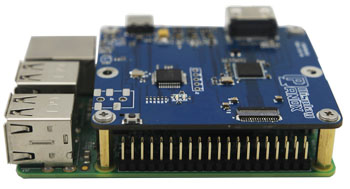
On-Cell display modules may use MIPI, SPI, QSPI, or eDP for display data. Touch communication may use another interface, often I2C depending on the touch controller. Development boards are useful when the host system cannot directly drive the panel interface. Panox Display states that it can provide controller/driver boards with VGA, HDMI, DVI, DP, Type-C video input, MIPI, RGB, LVDS, and eDP, with functions that may include brightness adjustment, touch interface, extra data transmission, and gyroscope support.
On-Cell Display Options from Panox Display
Panox Display’s On-cell tag covers a broad range of OLED/AMOLED modules, from compact smartwatch displays to flexible OLED panels. For a pillar page, the most useful way to present them is by application rather than simply by size.
| Panox Display module | Key specifications | Best-fit project direction |
|---|---|---|
| 1.41-inch OLED On-Cell PCAP TP for wearable smartwatch | AMOLED, 320 × 360, MIPI, 350 cd/m² typical luminance, 60 Hz, PCAP On-Cell touch via I2C, EDO/AUO panel option | Smartwatch, wrist device, compact health monitor, small interactive UI |
| 1.43-inch AM-OLED full-color On-Cell PCAP touch | 466 × 466, QSPI, 700 cd/m² typical luminance, 1:1 format, 0.745 mm outline thickness, On-Cell touch | Round or square wearable UI, premium watch face, compact high-brightness control interface |
| 1.6-inch OLED On-Cell touch for wearable | AMOLED, 320 × 360, SPI/MIPI, 500 cd/m² typical luminance, 100% DCI-P3, On-Cell touch, wide operating temperature | Wearable device, sports band, outdoor-readable small interface |
| 1.78-inch OLED On-Cell PCAP TP for smartwatch | AMOLED, 368 × 448, MIPI/SPI, integrated CTP with TMA525C touch IC, 2.0 g typical mass, PCAP On-Cell touch | Smartwatch, wearable medical equipment, low-power portable display |
| 5.0-inch OLED On-Cell PCAP TP for cellphone/handheld | AMOLED, 720 × 1280, MIPI DSI, PCAP On-Cell touch, 60 Hz, sunlight readable | Handheld equipment, mobile terminal, vehicle interface, GPS, smart home, industrial device |
| 5.1-inch flexible OLED On-Cell PCAP for cellphone | BOE flexible AMOLED, 720 × 1520, 330 PPI, MIPI, 390 cd/m² typical luminance, on-cell PCAP, COF structure, 0.13 mm outline thickness | Smartphone prototype, flexible handheld, robot UI, VR-related device, compact curved product |
| 13.3-inch flexible OLED touch screen | LG flexible OLED, 1536 × 2048, eDP, 300 cd/m² typical luminance, 0.53 mm without PCB, On-Cell touch, stylus support, foldable tablet/notebook direction | Foldable tablet, notebook concept, portable monitor, digital sketching or annotation device |
One practical note: some flexible OLED products may have multiple mechanical versions. Panox’s 7.8-inch flexible OLED page, for example, describes polarizer and cover-glass/touch versions, while the model specification table lists the base panel as having no touch panel. For RFQ work, confirm the exact touch version, cover glass stack, and datasheet before quoting the module into a product design.
How to Choose the Right On-Cell Display
Start with the product form factor. A smartwatch or bracelet usually needs a compact AMOLED with high brightness, low power consumption, a convenient host interface, and cover glass that matches the ID design. A handheld terminal may need a 5-inch-class OLED or flexible OLED with MIPI interface, sunlight readability, and stronger cover glass. A foldable product needs mechanical data before anything else: bending radius, hinge direction, FPC routing, and test cycles.
Then match the electrical interface. SPI and QSPI are easier for smaller UI displays, while MIPI DSI and eDP are common for higher-resolution panels. If the host platform cannot directly drive the panel, a controller board can shorten the evaluation phase. This is especially helpful when connecting a display to a PC, Raspberry Pi, embedded Linux platform, or HDMI/Type-C video source.
Next, define the touch experience. Decide whether the product needs multi-touch gestures, glove operation, wet-touch support, stylus input, palm rejection, or high ESD protection. These requirements influence the touch IC, firmware tuning, cover glass thickness, grounding, and EMI design.
Finally, confirm the mechanical front stack early. On-Cell touch reduces the need for a separate touch panel, but the cover glass remains part of the product identity and the user experience. Glass shape, edge printing, hard coating, anti-glare treatment, optical bonding, and enclosure pressure can all change how the final display feels.
Conclusion
An On-Cell display brings touch closer to the display panel, helping product teams build thinner, cleaner, and more responsive interactive devices. It is widely used in AMOLED and OLED modules for wearables, handheld electronics, mobile terminals, flexible displays, and foldable concepts.
For Panox Display customers, the technology is especially relevant because the On-cell product range includes compact smartwatch AMOLEDs, 5-inch-class handheld OLED modules, flexible mobile displays, and larger foldable OLED touch screens. The right choice depends on more than size and resolution. Interface, cover glass, touch IC, environmental limits, controller-board support, and mechanical design all need to be checked together.
For a new project, start with the application, then narrow the module by size, resolution, interface, brightness, touch structure, and cover glass plan. From there, Panox Display can help match the display panel, datasheet, connector, controller board, and customization path for development or batch production.
Learn more: Applications of On-Cell Displays: Where Integrated OLED Touch Screens Fit Best
FAQs:
Is an On-Cell display better than an In-Cell display?
It depends on the product. In-Cell can offer very high integration and a thin structure, especially in high-volume mobile devices. On-Cell is often easier to source and develop because the touch sensor is integrated on the display cell while keeping a more familiar touch-controller architecture. For many OLED/AMOLED projects, On-Cell gives a good balance of thinness, touch performance, and manufacturing practicality.
Does an On-Cell OLED need an external touch panel?
Usually no. If the module already has On-Cell PCAP touch, the touch sensor is integrated with the display. The product still needs a suitable cover glass or cover lens. If the display has no integrated touch, then an external touch panel or customized touch solution will be required. Panox’s product FAQ also advises customers to confirm whether the display has On-Cell or In-Cell touch before deciding the cover glass or touch panel structure.
Can On-Cell touch be used on flexible OLED?
Yes, when the touch electrode, substrate, encapsulation, adhesive, and mechanical stack are designed for bending. Foldable OLED touch design requires more validation than a rigid display. Research on ITO thin films for foldable OLED On-Cell touch sensors highlights the need to balance transparency, sheet resistance, and mechanical durability.
Is On-Cell suitable for outdoor products?
It can be, but the final result depends on more than the touch structure. Luminance, reflectance, contrast ratio, polarizer design, cover glass coating, and optical bonding all affect outdoor readability. Many Panox On-cell-tagged products are marked as sunlight readable or readable under the sun, but the complete front-stack design should be tested under the target lighting conditions.
What information should I provide when asking for an On-Cell display?
A useful RFQ should include screen size, resolution, display technology, interface, host platform, touch requirements, cover glass drawing, operating temperature, brightness target, mechanical constraints, sample quantity, and expected production volume. For flexible OLED, add bending radius, bend direction, fold cycle target, and whether the panel bends during operation.